Help Guide
Interchangeable Lens Digital Camera
ILCE-6700 α6700
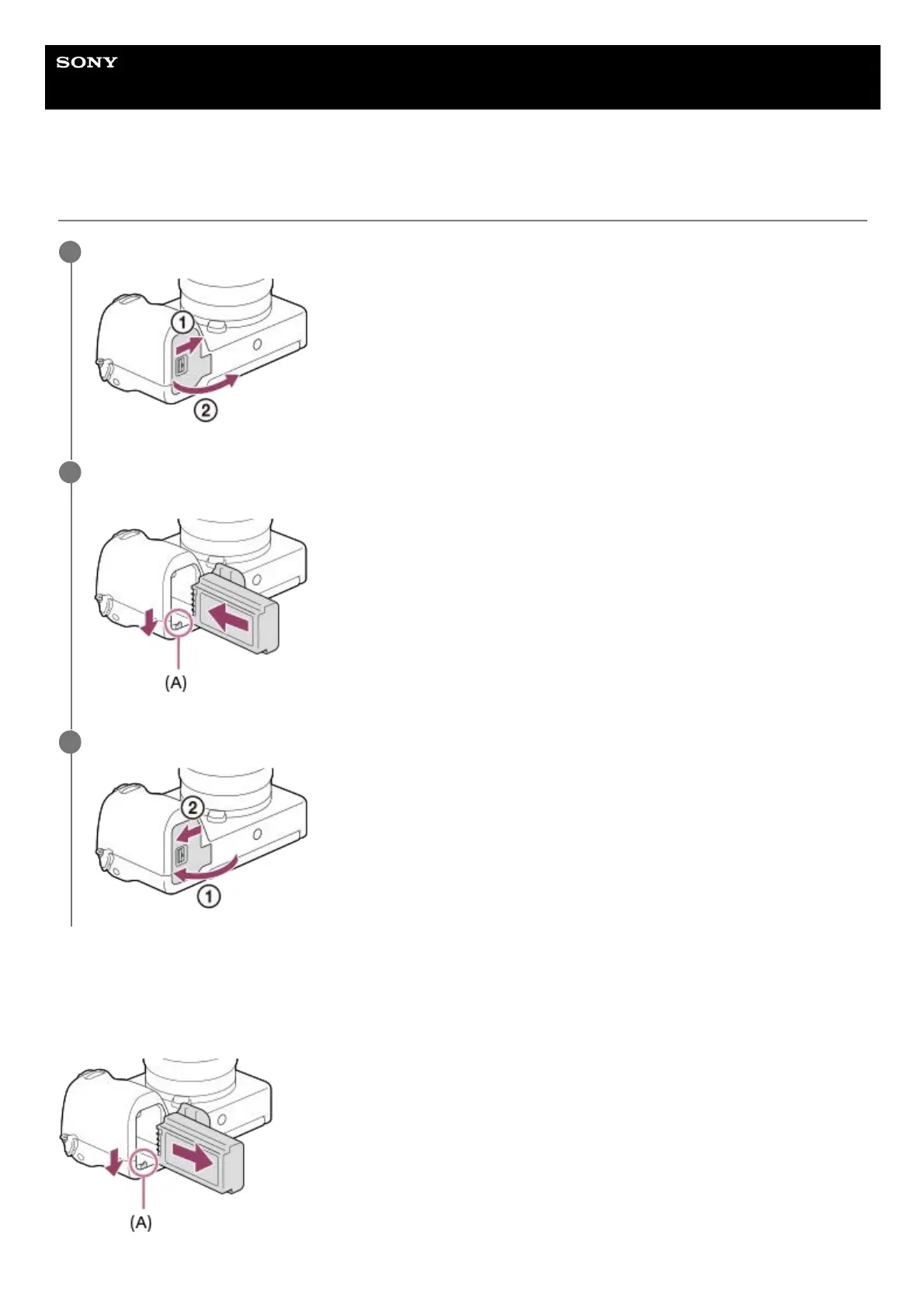
Inserting/removing the battery pack
To remove the battery pack
Make sure that the access lamp is not lit, and turn off the camera. Then, slide the lock lever (A) and remove the battery
pack. Be careful not to drop the battery pack.
Slide the switch on the battery cover to open the cover.
1
Insert the battery pack while pressing the lock lever (A) with the tip of the battery until the battery locks into
place.
2
Close the cover and slide the switch to the LOCK side.
3



 To Next Page