Help Guide
Interchangeable Lens Digital Camera
ILCE-6700 α6700
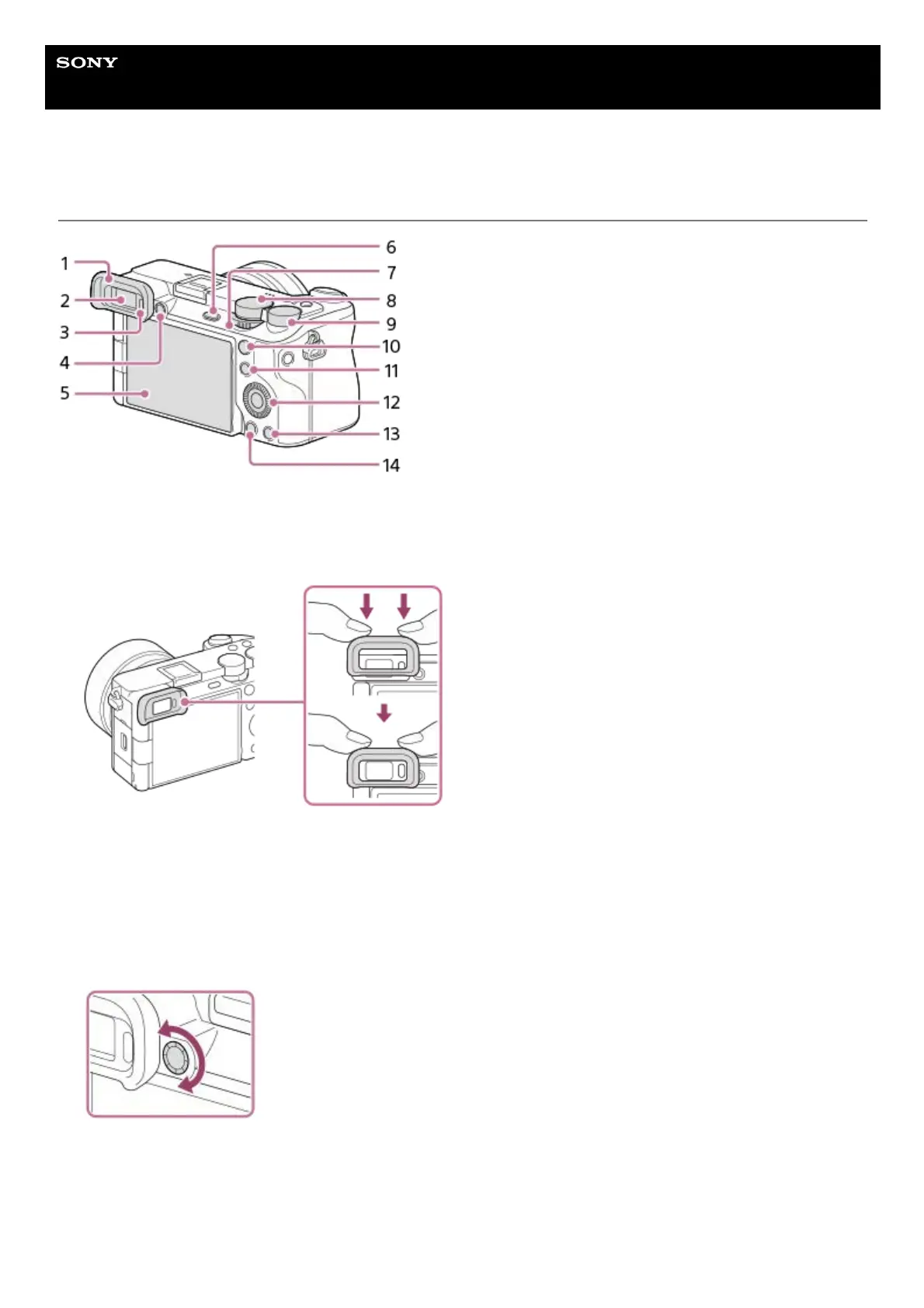
Rear side
Eyepiece Cup
Attaching/removing the eyepiece cup
Match the eyepiece cup to the groove on the viewfinder and slide it into place.
To remove the eyepiece cup, grasp it on the left and right sides and lift it up.
1.
Viewfinder2.
Eye sensor3.
Diopter-adjustment dial
Adjust the diopter-adjustment dial according to your eyesight until the display appears clearly in the viewfinder.
If it is hard to operate the diopter-adjustment dial, remove the eyepiece cup before operating the dial.
4.
Monitor (For touch operation: Touch panel/Touch pad)
You can adjust the monitor to an easily viewable angle and shoot from any position.
5.



 To Next Page