Help Guide
Interchangeable Lens Digital Camera
ILCE-6700 α6700
Sides
Related Topic
Front side
Rear side
Top side
Bottom
TP1000940043
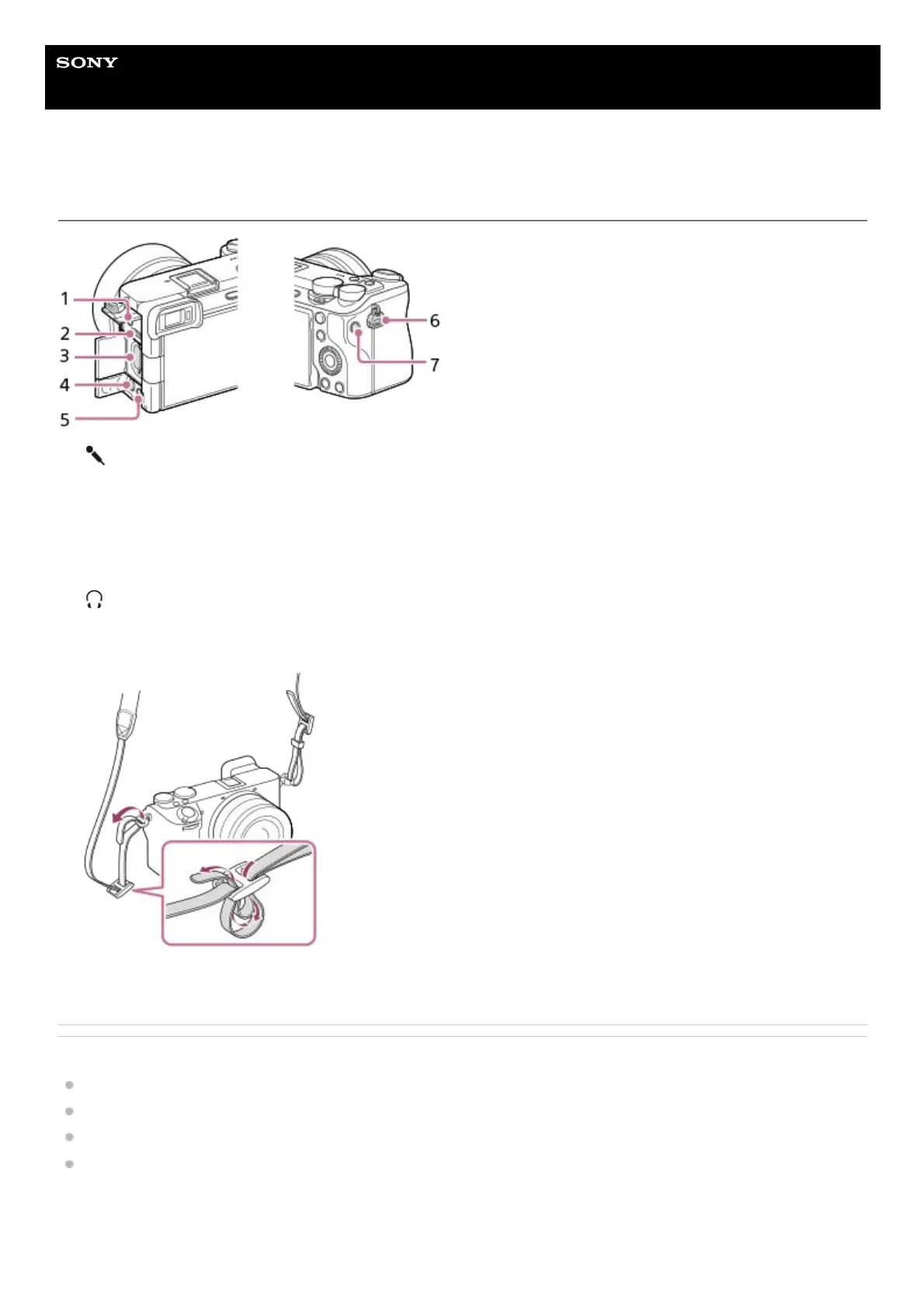
(Microphone) jack
When an external microphone is connected, the built-in microphone turns off automatically. When the external
microphone is a plugin-power type, the power of the microphone is supplied by the camera.
1.
USB Type-C terminal2.
Memory card slot3.
HDMI micro jack4.
(Headphones) jack5.
Hooks for shoulder strap
Attach both ends of the strap onto the camera.
6.
C1 button (Custom button 1)7.



 To Next Page