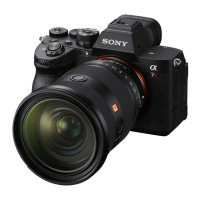
ILCE-7M3
4-732-950-11(1)
GB
32
C:\4732950111\4732950111ILCE7M3UC2\01GB-ILCE7M3UC2\020PRE.indd
DTP data saved: 2017/11/01 09:35
PDF file created: 2017/11/01 09:36
7
Repeat steps 5 and 6 to set other items, then select [Enter] and
press the center.
Hint
• To reset the date and time setting, use MENU (page 74).
Note
• This camera does not have a function for inserting the date into images.
You can insert the date into images and then save and print them using
PlayMemories Home (for Windows only).
Step 6: Shooting images in auto mode
1
Turn the mode dial to set to .
The shooting mode will be set to (Intelligent Auto).
2
Look into the viewfinder or the monitor and hold the camera.
3
Set the size of the subject by rotating the zoom ring of the lens
when a zoom lens is attached.
4
Press the shutter button halfway down to focus.
• When the image is in focus, an indicator (such as ) will light up.
5
Press the shutter button all the way down.



 To Next Page