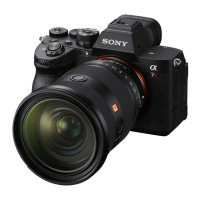
ILCE-7M3
4-732-950-11(1)
GB
5
C:\4732950111\4732950111ILCE7M3UC2\01GB-ILCE7M3UC2\010BEF.indd
DTP data saved: 2017/11/01 09:29
PDF file created: 2017/11/01 09:36
Using a computer
Connecting the camera to a computer ................................. 55
Connecting to a computer ........................................... 55
Disconnecting the camera from the computer ........... 56
Introduction to computer software ........................................57
Image management software
(PlayMemories Home)...............................................57
RAW processing/remote camera control software ..... 58
MENU items/List of icons
Using MENU items ................................................................. 59
List of MENU items ................................................................. 60
(Camera Settings 1) ................................................ 60
(Camera Settings 2) ...............................................66
(Network) ................................................................. 69
(Playback) ............................................................... 70
(Setup) .....................................................................72
(My Menu) ............................................................... 75
List of icons on the monitor ................................................... 76
Icons on the shooting screen ....................................... 76
Icons on the playback screen ........................................ 81
About this product
Specifications ......................................................................... 83
Battery life and number of recordable images............ 83
Memory cards that can be used .................................. 84
Number of recordable images ..................................... 86
Recordable movie times............................................... 87
Specifications ................................................................90
Index ..................................................................... 95
For details on the Wi-Fi functions and NFC One-touch functions, refer to the
“Help Guide” (page 2).



 To Next Page