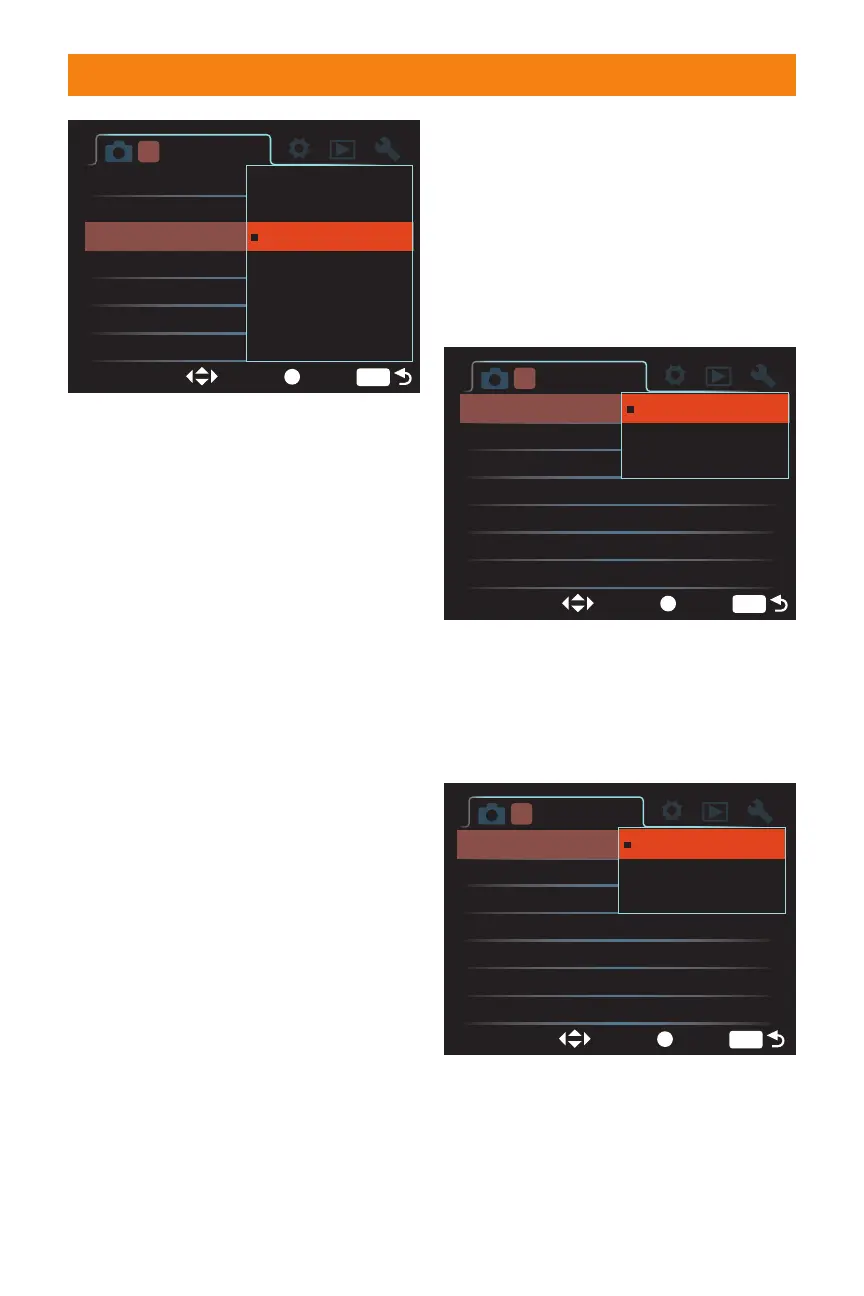
✦ RAW & JPEG. This mode saves
two files every time you take a
photograph. One copy is in the
RAW mode, and the other is in
the JPEG Fine mode.
✦ cRAW & JPEG. This is the same as
the RAW & JPEG mode except that
the RAW file is compressed, saving
space.
✦ Extra Fine. This stores the images
using a JPEG file format with very
little compression.
✦ Fine. This setting stores the images
using a JPEG file format with more
compression than Extra Fine, creat-
ing a smaller file.
✦ Standard. This setting stores the
image using the JPEG file format
with the highest amount of file
compression. The higher the com-
pression, the lower the image
quality.
Changing the file quality is done by pressing
the Menu button and then using the multi-
selector to navigate to Recording menu 1
and selecting Quality from the menu. It can
also be set by pressing the Function button
to open the Quick Navigation menu, and
then using the multi-selector to choose the
current file quality; by pressing the multi-
selector center button, the file quality can
then be changed.
File size setting
32 Part I ✦ Using the Sony Alpha A700
Exposure step
Custom button
Creative Style
D-RangeOptimizer
Quality
Aspect ratio
0.3 EV
EnterSelect
MENU
Creative Style
Standard
Advanced Auto
RAW & JPEG
3:2
Image size
1 234
L:12M
Standard
Fine
Extra fine
cRAW & JPEG
cRAW
RAW
RAW & JPEG
1.16 The File Quality menu makes picking a
file quality easy and fast.
Exposure step
Custom button
Creative Style
D-RangeOptimizer
Quality
Aspect ratio
0.3 EV
EnterSelect
MENU
Standard
Advanced Auto
RAW & JPEG
3:2
1 234
L:12M
Fine
M:6.4M
S:3.0M
Image size L : 12M
1.17 The Image Size menu changes
depending on the aspect ratio used.
This menu shows the file sizes for the 3:2
aspect ratio, but does not show the actual
dimensions of the image.
Exposure step
Custom button
Creative Style
D-RangeOptimizer
Quality
Aspect ratio
0.3 EV
EnterSelect
MENU
Standard
Advanced Auto
RAW & JPEG
3:2
1 234
L:12M
Fine
M:5.4M
S:2.6M
Image size L : 10M
1.18 The Image Size menu when the aspect
ratio is set to 16:9. The file sizes are smaller
than the 3:2 counterparts.
06_270318 ch01.qxp 4/18/08 11:50 AM Page 32



 To Next Page