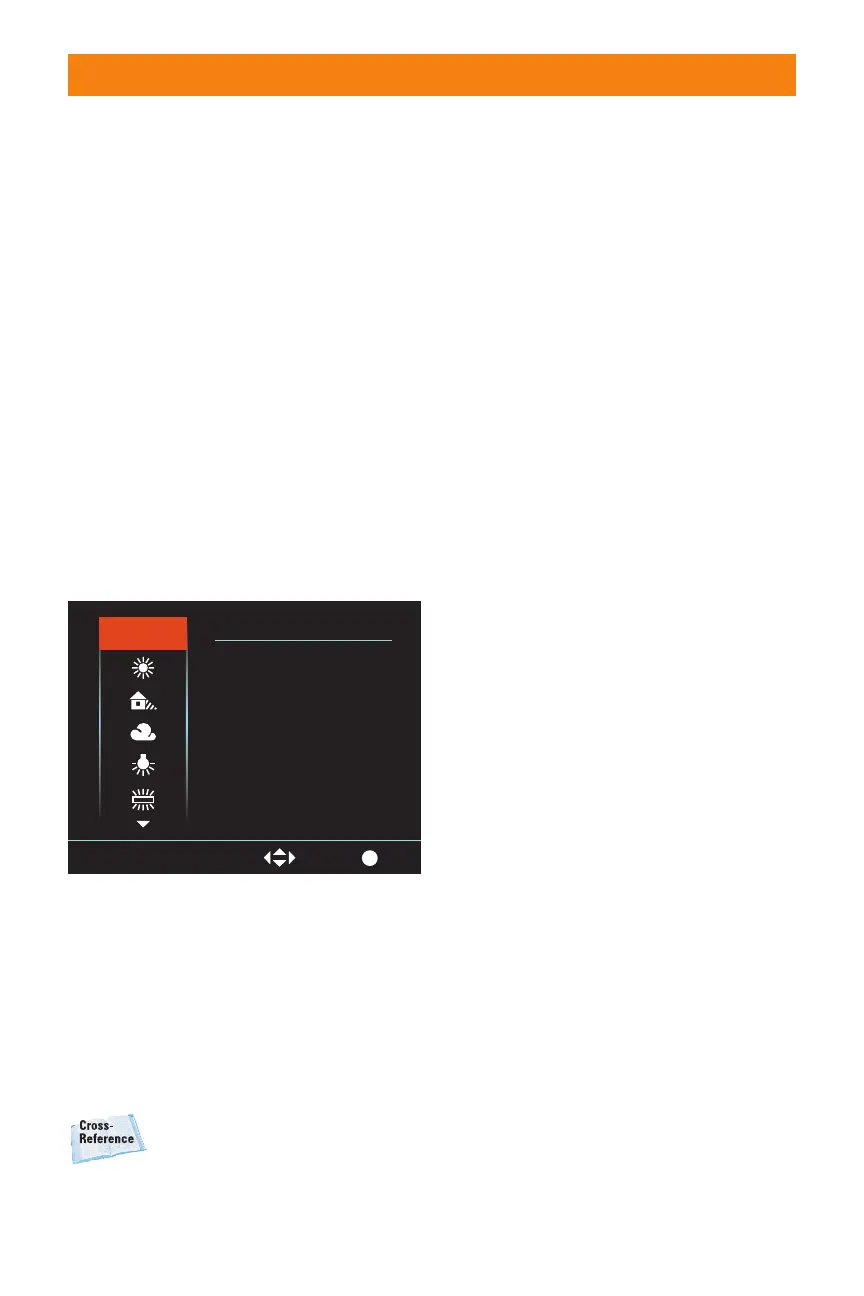
White Balance
Setting
The color of an object changes depending
on the color of the light that reflects off of it.
The human eye and brain translate this
when looking at objects in different color
light. Hold a white piece of paper outside in
sunshine and it looks white, and then hold
that same piece of paper in the shade and
it looks white. The human brain naturally
adjusts because you know the paper should
be white. The sensor in the A700 records
the values as it sees them, not knowing
what the situation is. It is up to the photog-
rapher to set the white balance, and in
doing so, tell the camera what the scene is.
The A700 has a wide range of white balance
settings that cover a wide range of lighting
situations. Most of the settings can also be
fine-tuned to achieve more natural-looking
colors.
White balance is covered in
detail in Chapter 2.
✦ Auto White Balance. Auto White
Balance or AWB sets the white bal-
ance automatically.
✦ Daylight. This setting is for photos
taken in the bright direct sunlight
outdoors. You can fine-tune the
setting by adding or subtracting up
to 3 stops. Adding increases the
color temperature and increases
the red tone, and decreasing turns
the image paler.
✦ Shade. This is for when the subject
is in the shade on a bright sunny
day. This setting can be fine-tuned
by 3 stops, where adding increases
the red tone and decreasing
reduces the red tone.
✦ Cloudy. This setting is best used
for shooting outdoors under a
cloudy sky. This setting can be fine-
tuned by 3 stops, where adding
increases the red tone and
decreasing reduces the red tone.
✦ Tungsten. Tungsten lights are used
mainly in incandescent lighting,
and are used in everything from
household lamps to flashlights to
commercial lighting. This setting
can be fine-tuned by 3 stops,
where adding increases the red
tone and decreasing reduces the
red tone.
✦ Fluorescent. Fluorescent lighting is
very common and can seem harsh
and displeasing. When shooting in
fluorescent lights, not setting the
white balance can cause a loss
of reds in the image. The white
balance can be fine-tuned from a
positive 4 to a negative 2. Adding
increases the amount of red.
Because fluorescent lights can
cause a subject to look pale to
begin with, adding red is more
important than subtracting it.
36 Part I ✦ Using the Sony Alpha A700
Exit
AWB
Auto
WB
White balance
AWB
Select
1.24 The White Balance menu is clear and
easy to read and can easily be navigated
using the multi-selector.
06_270318 ch01.qxp 4/18/08 11:50 AM Page 36



 To Next Page