ðù! (Device Test)
Outline
æ
The device carried in the substrate is tested.
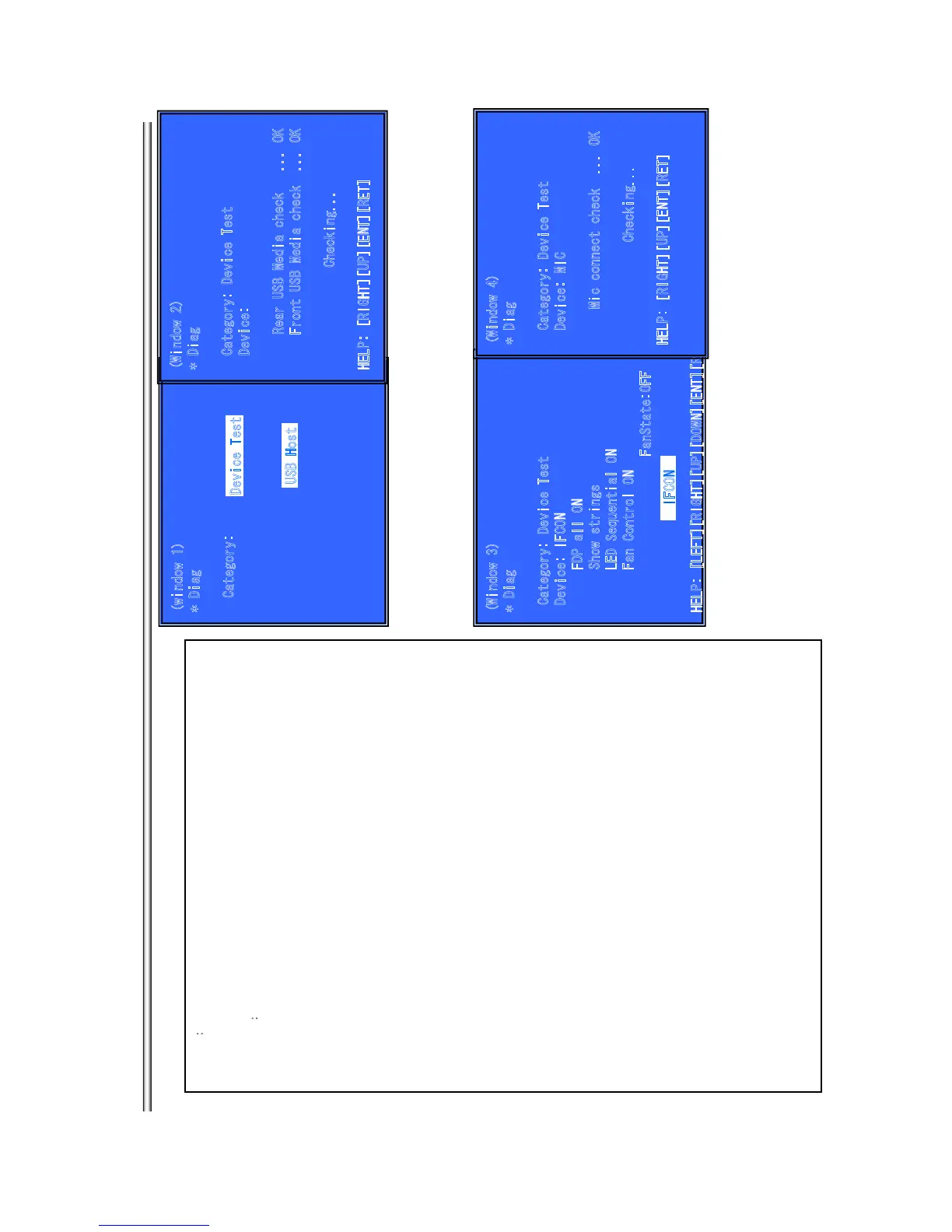
(Window 1) Select test category
Operation
æ
[LEFT] [RIGHT] Select Category
[DOWN][ENT] Activate the selected Category.
[RET] Return to Service Top Menu.
(Window 2) Device Test
After “Device Test” selects in window 1, the device to test is chosen.
Operation:
[LEFT][RIGHT] Select Device
[ENT] Activate and Start Test
[UP] Return to test category selection.
IF select IFCON, Move Up cursor. (see windows 3)
[DOWN] IF select IFCON, Move Up cursor. (see windows 3)
[RET] Return to test category selection.
>Test category list
Device Test
Video Test
Audio Test
Audio Input Test
(not Used)
Wireless LAN Test
(not Used)
Mic Test
(not Used)
HDMI Input Test
(not Used)
Transcoder Test
(not Used)
>Device Test :Device List
USB Host æUSB Media Check
(Front only)
Only one time.
D/A Converter æDAC write check (non-verification)
IFCON æIFCON Test (see windows 3)
FDP all ON
Show Strings
LED Sequential
FAN Control ON
Fan State (Display)
)4 wodniw ees( kcehc tcennoc CIM :CIM
kcehC etirw/daer IFM :IFM
(not used)
kcehc DI eciveD :CPI
(only used)
kc
ehc noisiveR :IMDH lanretxE
(only used)
noisreV/noisiveR :redocsnarT
(not used)
(wind
o
w
1
)
* Diag
Category:
(
Wi
ndow 2)
* Diag
Category: Device Test
Device:
R
ea
r US
B
M
edia c
hec
k
.
.. O
K
Front USB Media check ... OK
Check
ing.
..
HELP: [RIGHT][UP][ENT][RET]
USB Host
D
e
vice Test
(Wi
n
dow 3)
* D
i
ag
Category: Device Test
Device: IFCON
FD
P all O
N
Sh
ow s
t
r
ings
LE
D S
eq
u
enti
a
l O
N
Fan Control ON
FanState:OFF
HELP: [LEFT][RIGHT][UP][DOWN][ENT][RET]
IFCON
(W
i
ndow 4)
* Diag
Category: Device Test
Device: MIC
M
i
c c
onnect c
he
c
k .
..
OK
Checking...
HELP: [RIGHT][UP][ENT][RET]
BX18/S185/S186
7-6



 To Next Page