Version Up ÔWUKPI7RFCVG&+5%Õ
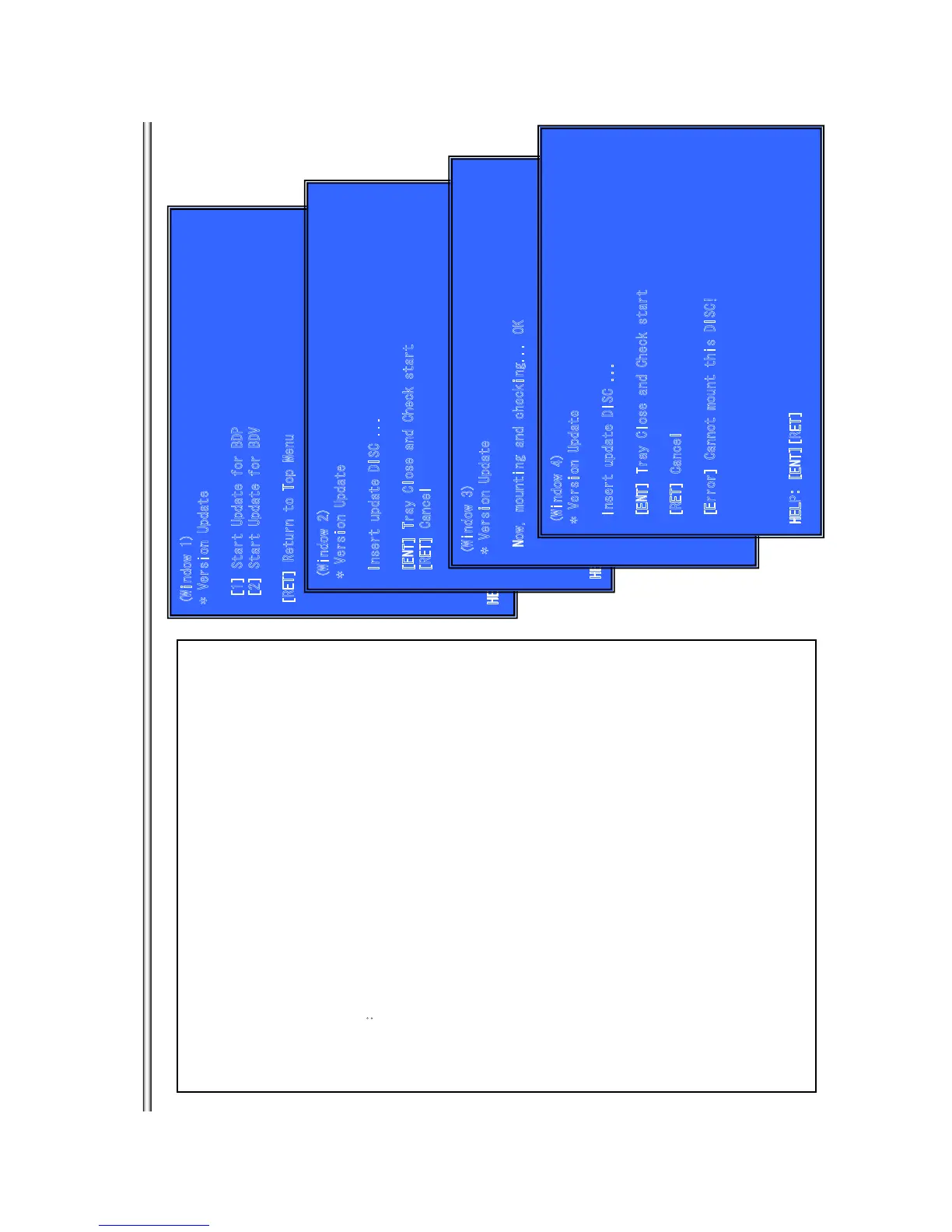
(Window 1)
* Version Update
[
1] S
t
ar
t U
p
d
ate fo
r BD
P
[
2] S
t
ar
t U
p
d
ate fo
r BD
V
[RET] Return to Top Menu
HELP : [ENT][RET][(NUM)]
Outline:
update software using DISC
(Window 1)Version Up Menu
Operation:
[1] Start Update for BDP
È
(Tray Open and go to window 2)
[2] Start Update for BDV
(not used)
[UP] Move Up cursor
[DOWN] Move Down cursor
[ENT] Activate the selected cursor.
[RET] Return to Service Top Menu.
(Window 2)Place the Update Disc
Operationæ
[ENT] Tray Close and check DISC.
[RET] Cancel Update (Tray Close and return to window 1)
(Window 3) Disc Check and OK (Right DISC)
Operation
: start update sequence automatically and reboot.
After reboot, please open tray and eject Update Disc manually.
(Window 4) Disc Check and NG (not update DISC)
Operation:
[Error]
///Ô
error message
Õ
and wait.
open tray automatically.
(Window 2
)
* Versio
n
Update
Insert update DISC ...
[E
N
T
]
Tray Clo
s
e
an
d Check s
tar
t
[RET] Cancel
HEL
P: [E
NT][RET
]
(Window 3)
* Ver
si
o
n
Update
Now, mounting and checking... OK
(Windo
w
4)
* Vers
i
on Update
Inse
r
t update DISC
.
..
[ENT] Tray Close and Check start
[RET] Cancel
[Erro
r] C
annot mo
u
n
t t
his DIS
C!
HELP: [ENT][RET]
BX18/S185/S186
7-12



 To Next Page