10
BDP-S3700/BDP-S1700
4-579-662-11(1)
master page=left
E:\SONY
DVD\SD150015\4579662111_GB\030STU.fm
4 Turn on the TV and set the input
selector on your TV by pressing t
button on the remote. This will show
the signal from the player on your TV
screen.
5 Perform [Easy Initial Settings].
Follow the on-screen instructions to make
the basic settings using </M/m/, and
ENTER on the remote.
b
• When [Easy Initial Settings] is complete, select [Easy
Network Settings] to use the network functions of the
player.
• To enable wireless connection, set [Internet Settings]
in [Network Settings] to [Wireless Setup]
(BDP-S3700 only).
• To disable wireless connection, set [Internet Settings]
in [Network Settings] to [Wired Setup] (BDP-S3700
only).
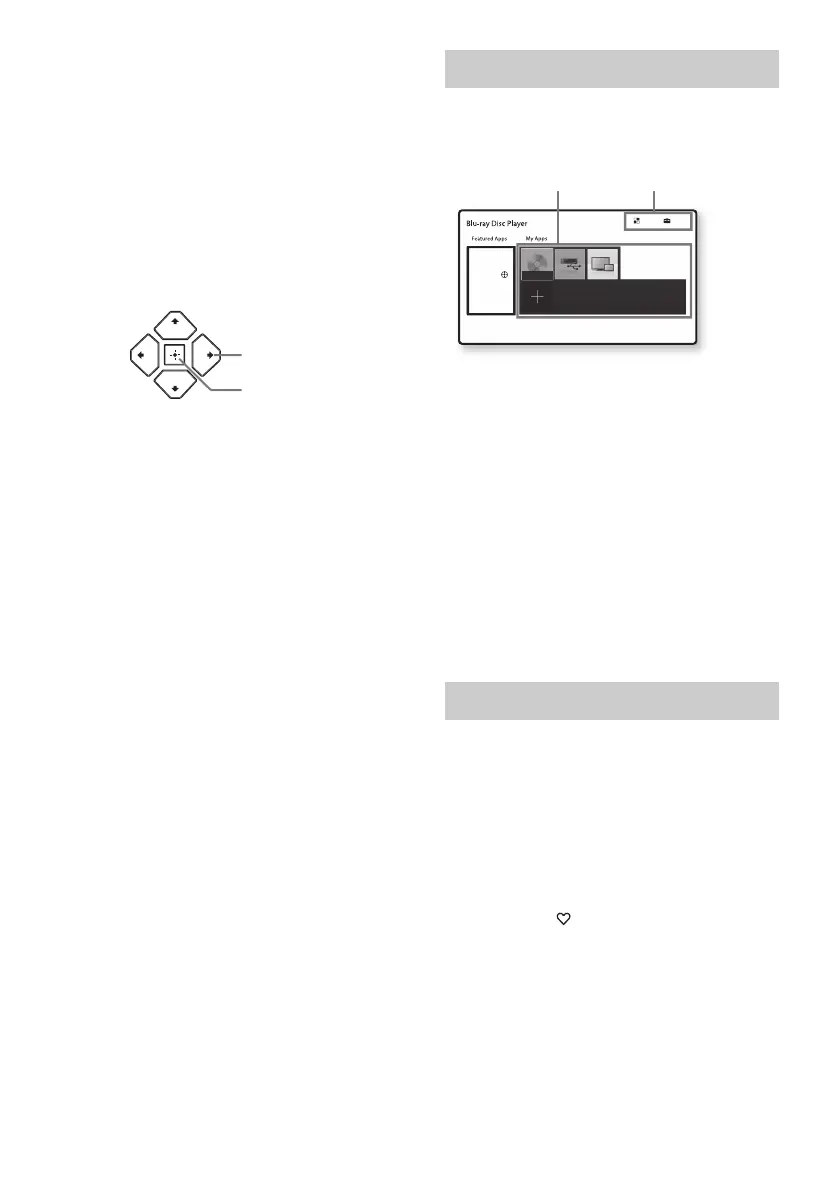
The home screen appears when you press
HOME. Select an application using </M/m/,,
and press ENTER.
[My Apps]: Manages favourite application. You
may add shortcuts for application from [All
Apps].
[Featured Apps]: Displays recommended
application.
[All Apps]: Shows all available applications.
You can add applications to [My Apps] by
pressing OPTIONS, and select [Add to My
Apps].
[Setup]: Adjusts the player’s settings.
b
Screen mirroring function is only available for
BDP-S3700.
Various settings and playback operations are
available by pressing OPTIONS. The available
items differ depending on the situation.
[Move Application]: Arranges applications in
[My Apps].
[Remove Application]: Deletes applications
in [My Apps].
[Register as Favourite]: Registers 1
application into (favourite) remote button.
[Data Contents]: Displays the contents of the
mixed disc.
ENTER
</M/m/,
Home screen display
Available options
Setup
All Apps
No Disc
You can add your favourite apps here.
Move or delete apps using the option menu.
You can enjoy many Apps
with your BD player. Please
select here and press on
your remote control.
Application
Tools



 To Next Page