12
GB
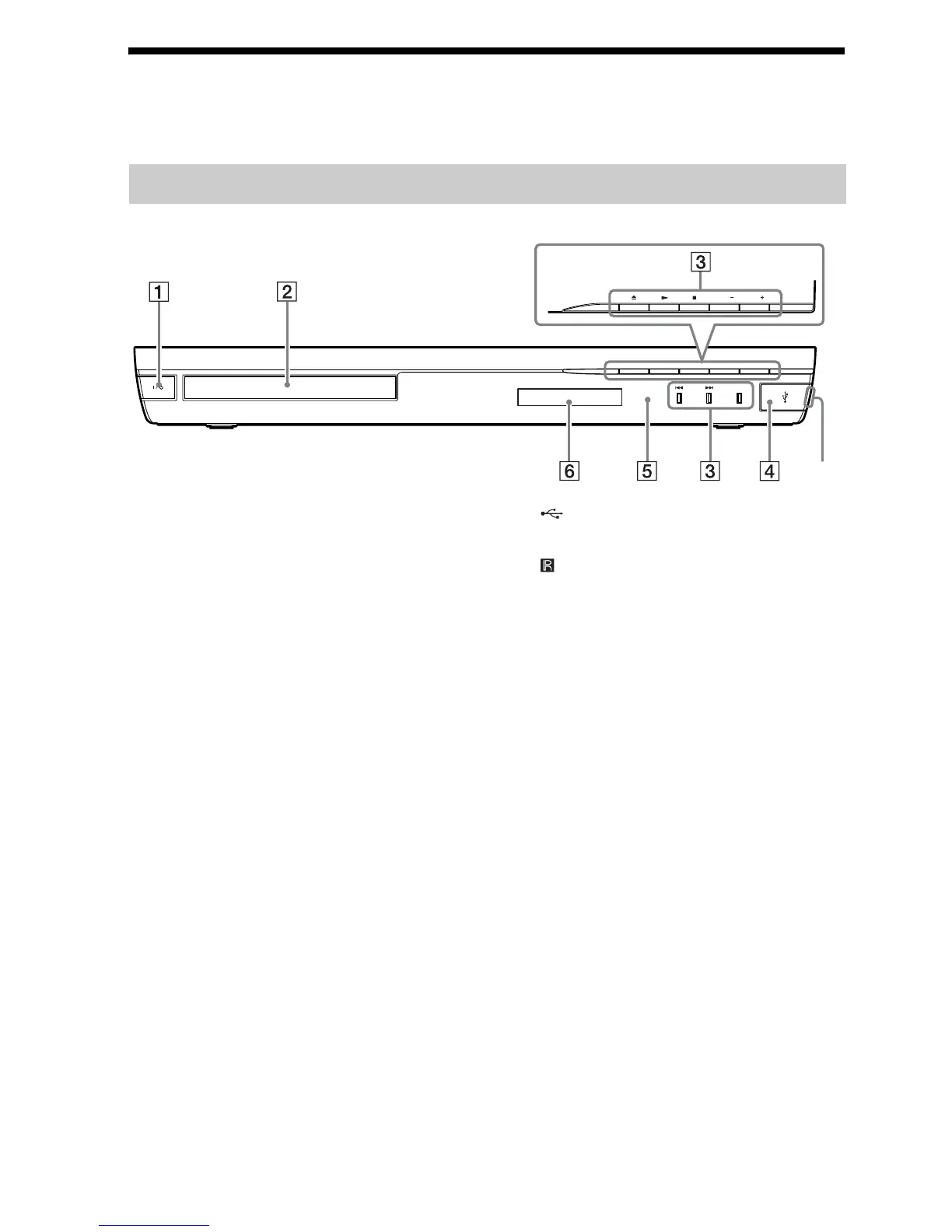
Index to Parts and Controls
For more information, refer to the pages indicated in parentheses.
A "/1 (on/standby)
Turns on the unit, or sets it to standby mode.
B Disc tray (page 24)
C Play operation buttons
Z (open/close)
N (play)
x (stop)
VOL +/–
./> (previous/next)
FUNCTION (page 22)
Selects the playback source.
D (USB) port (page 25)
Open the cover using a fingernail in the slot.
E (remote sensor)
F Front panel display
Front panel
FUNCTION
VOL VOL
Slot



 To Next Page