Playback
27
GB
Playing via a Network
Sony Entertainment Network serves as a
gateway delivering selected Internet content and
a variety of on-demand entertainment straight to
your unit.
• Some Internet content requires registration via a PC
before it can be played. For further details, visit the
following website:
For customers in Europe and Russia:
http://support.sony-europe.com/hub/hub.html
For customers in other countries/regions:
http://www.sony-asia.com/section/support
• Some Internet content may not be available in some
regions/countries.
1 Prepare for Sony Entertainment
Network.
Connect the system to a network (page 19).
2 Press SEN.
3 Press C/X/x/c to select the Internet
content and a variety of on-demand
entertainment, then press .
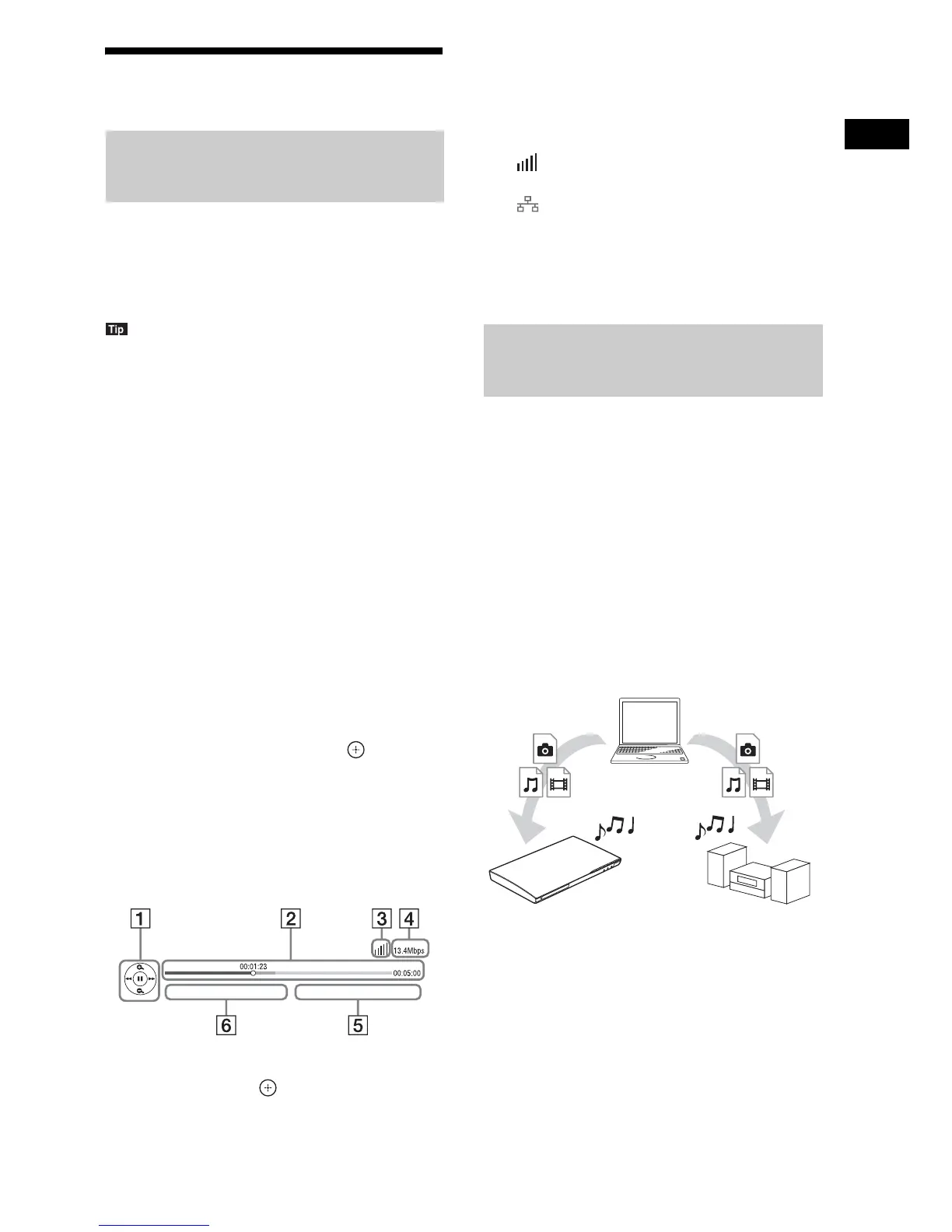
Video streaming control panel
The control panel appears when a video file
starts playing. The displayed items may differ
depending on the Internet content provider.
To display again, press DISPLAY.
A Control display
Press C/X/x/c or for playback operations.
B Playing status bar
Status bar, cursor indicating the current
position, playing time, duration of the video
file
C Network condition indicator
Indicates signal strength for a wireless
connection.
Indicates a wired connection.
D Network transmission speed
E The next video file name
F The currently selected video file name
You can play video/music/photo files on other
DLNA-certified components by connecting
them to your home network.
This unit can be used as a player and renderer.
•Server: Stores and sends files
• Player: Receives and plays files from the
server
• Renderer: Receives and plays files from the
server, and can be operated by another
component (controller)
• Controller: Operates the renderer component
Prepare for using the DLNA function.
• Connect the system to a network (page 19).
• Prepare other DLNA-certified components.
For details, see the operating instructions of
the components.
Enjoying Sony Entertainment
Network (SEN)
Playing files on a Home
Network (DLNA)
Player
Player
(This system)
Server



 To Next Page