Other Operations
51
GB
Further Settings for the
Wireless System
You can specify the wireless connection to link
the main unit to the surround amplifier using the
Secure Link function.
This function can help prevent interference if
you use multiple wireless products or your
neighbors use wireless products.
1 Press HOME.
The home menu appears on the TV screen.
2 Press C/c to select [Setup].
3 Press X/x to select [System Settings],
then press .
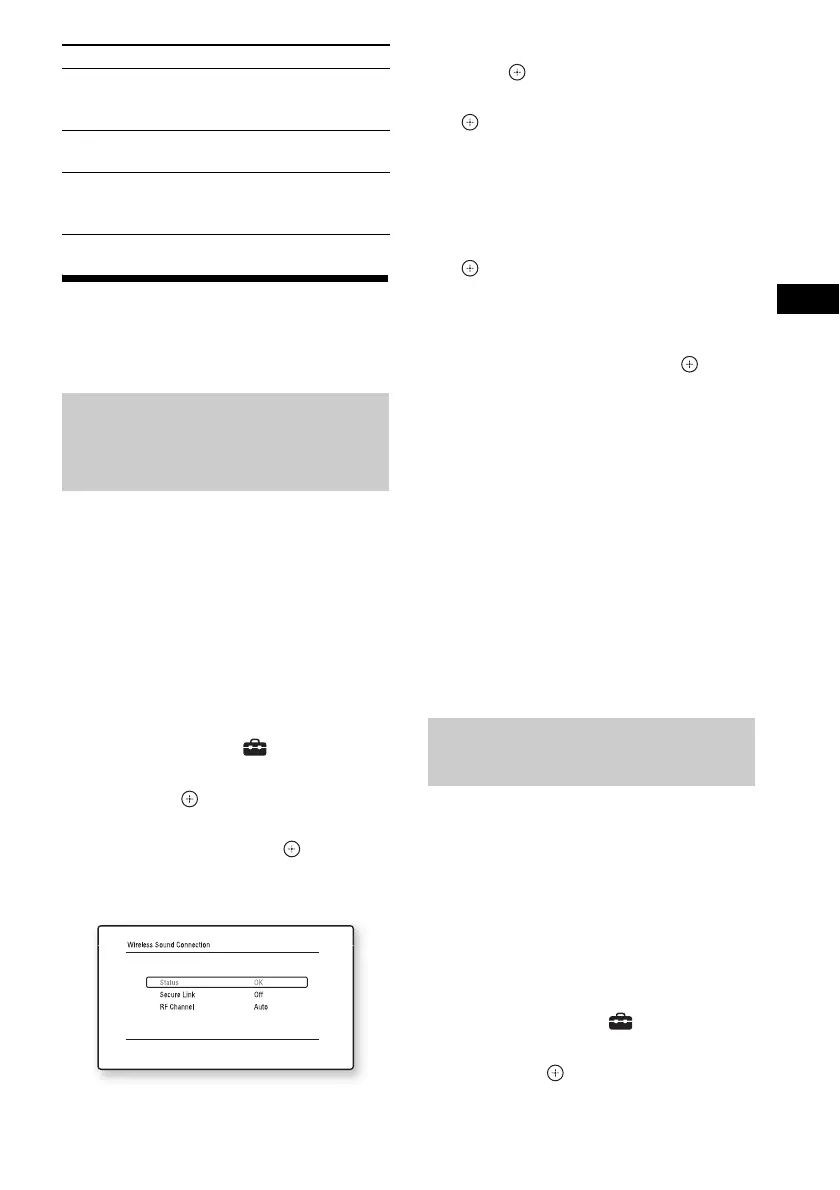
4 Press X/x to select [Wireless Sound
Connection], then press .
The [Wireless Sound Connection] display
appears.
5 Press X/x to select [Secure Link], then
press .
6 Press X/x to select [On], then press
.
7 Press SECURE LINK on the rear of the
surround amplifier.
Proceed to the next Step within a few
minutes.
8 Press C/c to select [Start], then press
.
To return to the previous display, select
[Cancel].
9 After the message [Secure Link setting
is complete.] appears, press .
The surround amplifier is linked to the main
unit and the LINK/STANDBY indicator
turns orange.
If the message [Cannot set Secure Link.]
appears, follow the on-screen messages.
To cancel the Secure Link
function
For the main unit
Select [Off] on Step 6 above.
For the surround amplifier
Press and hold SECURE LINK on the rear of the
surround amplifier until the LINK/STANDBY
indicator turns green or flashes green.
If you use multiple wireless systems, such as a
wireless LAN (Local Area Network) or
Bluetooth, the wireless signals may be unstable.
In this case, the transmission may be improved
by changing the following [RF Channel] setting.
1 Press HOME.
The home menu appears on the TV screen.
2 Press C/c to select [Setup].
3 Press X/x to select [System Settings],
then press .
[Set as start page] Sets the currently displayed
website as the default start
page.
[Open in new
window]
Opens a link in a new
window.
[Display certificate] Displays server certificates
sent from pages that support
SSL.
Activating wireless
transmission between specific
units
[Secure Link]
Items Details
If wireless transmission is
unstable
[RF Channel]


 To Next Page