52
GB
4 Press X/x to select [Wireless Sound
Connection], then press .
The [Wireless Sound Connection] display
appears.
5 Press X/x to select [RF Channel], then
press .
6 Press X/x to select the desired setting,
then press .
•[Auto]: Normally select this. The system
automatically selects the better channel
for transmission.
• [1], [2], [3]: The system transmits sound
by fixing the channel for transmitting.
Select the channel with the better
transmission.
The transmission may be improved by changing the
transmission channel (frequency) of the other wireless
system(s). For details, refer to the operating
instructions of the other wireless system(s).
Setting up the Network
[Internet Settings]
Before setting, connect the system to the
network. For details, see “Step 3: Connecting to
the Network” (page 24).
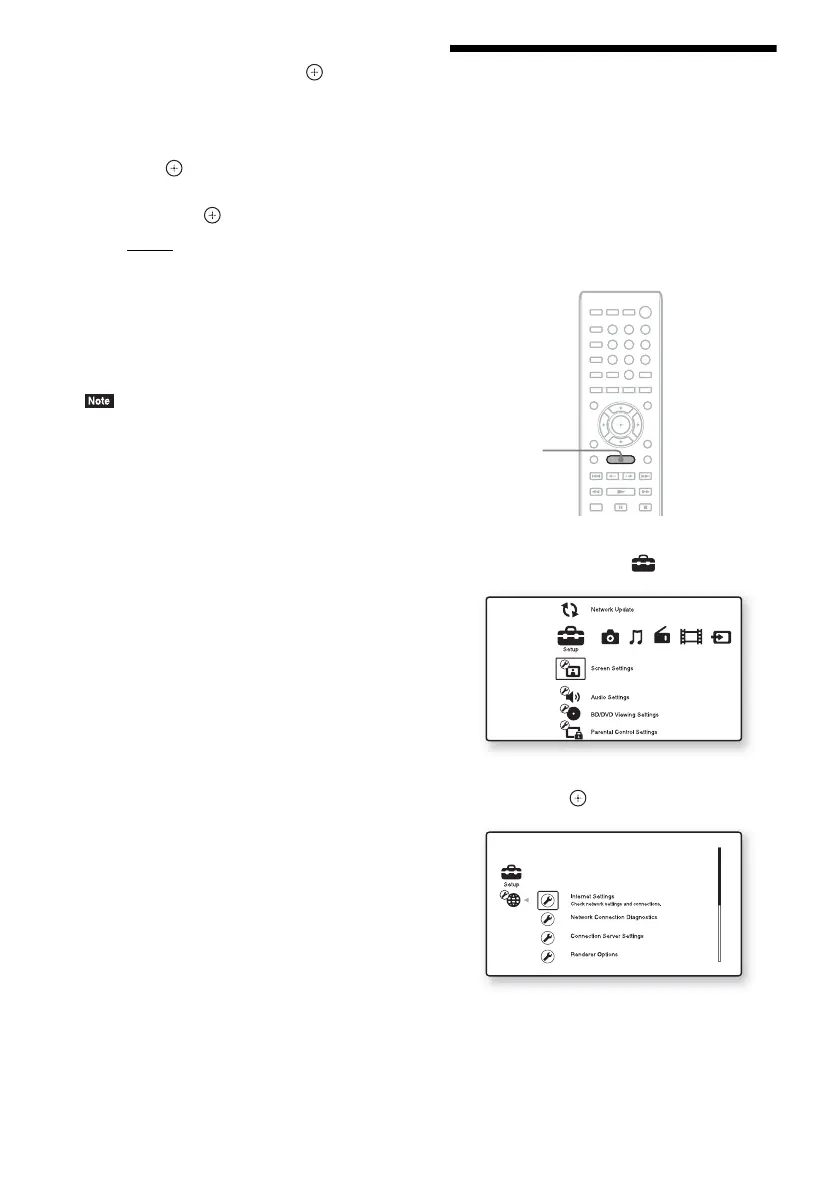
To open the setting display
1 Press HOME.
The home menu appears on the TV screen.
2 Press C/c to select [Setup].
3 Press X/x to select [Network Settings],
then press .
8
0
97
564
231
HOME


 To Next Page