46
GB
Getting Started
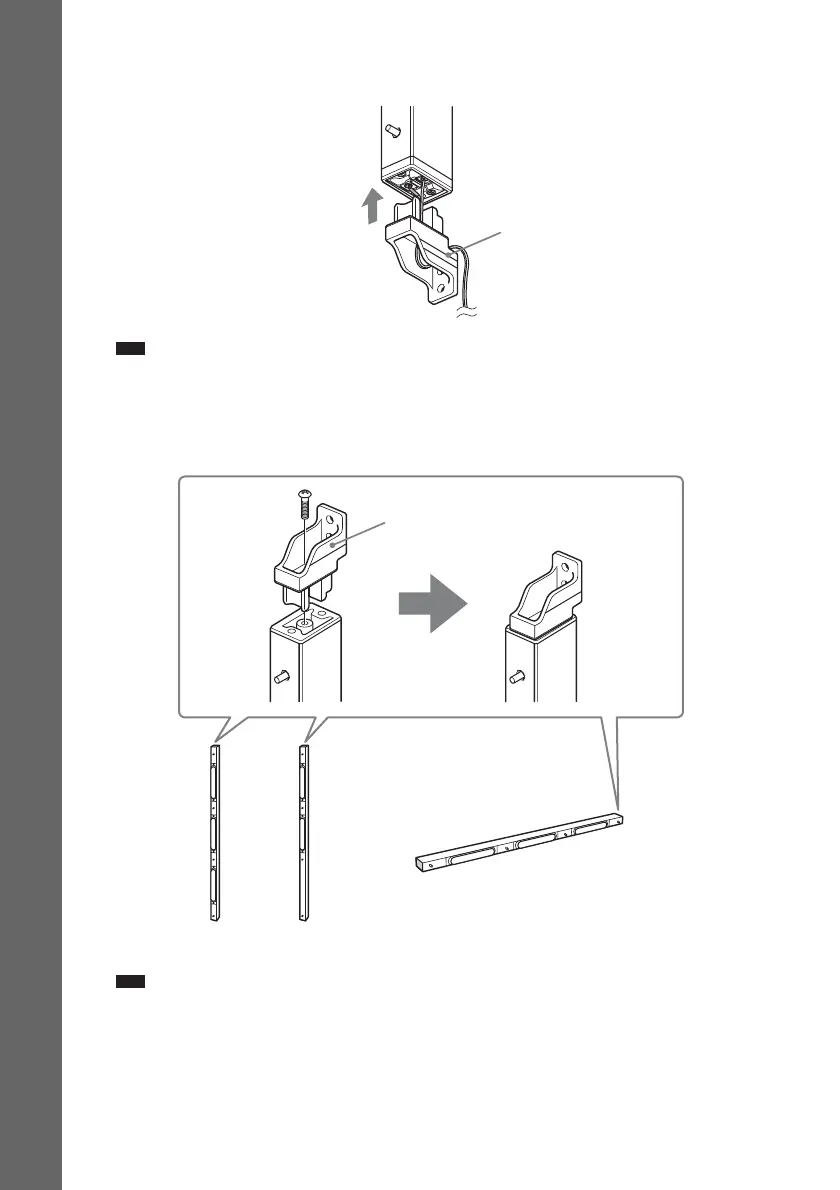
6 Attach the bracket (bottom) to the speaker.
Insert the bracket (bottom) into the speaker tightly.
Note
• When attaching the bracket, take care not to catch the speaker cord between the speaker and bracket.
• When assembling, take care not to touch the speaker unit.
7 Attach the bracket (top) to the speaker.
Insert the bracket (top) into the speaker and secure it with the screw (supplied).
Note
• When assembling, take care not to touch the speaker unit.
Ex. Front speaker
Bracket (bottom)
Speaker cord
Front speaker
Center speaker
Surround speaker
Right side
Bracket (top)
Screw


 To Next Page