48
GB
Getting Started
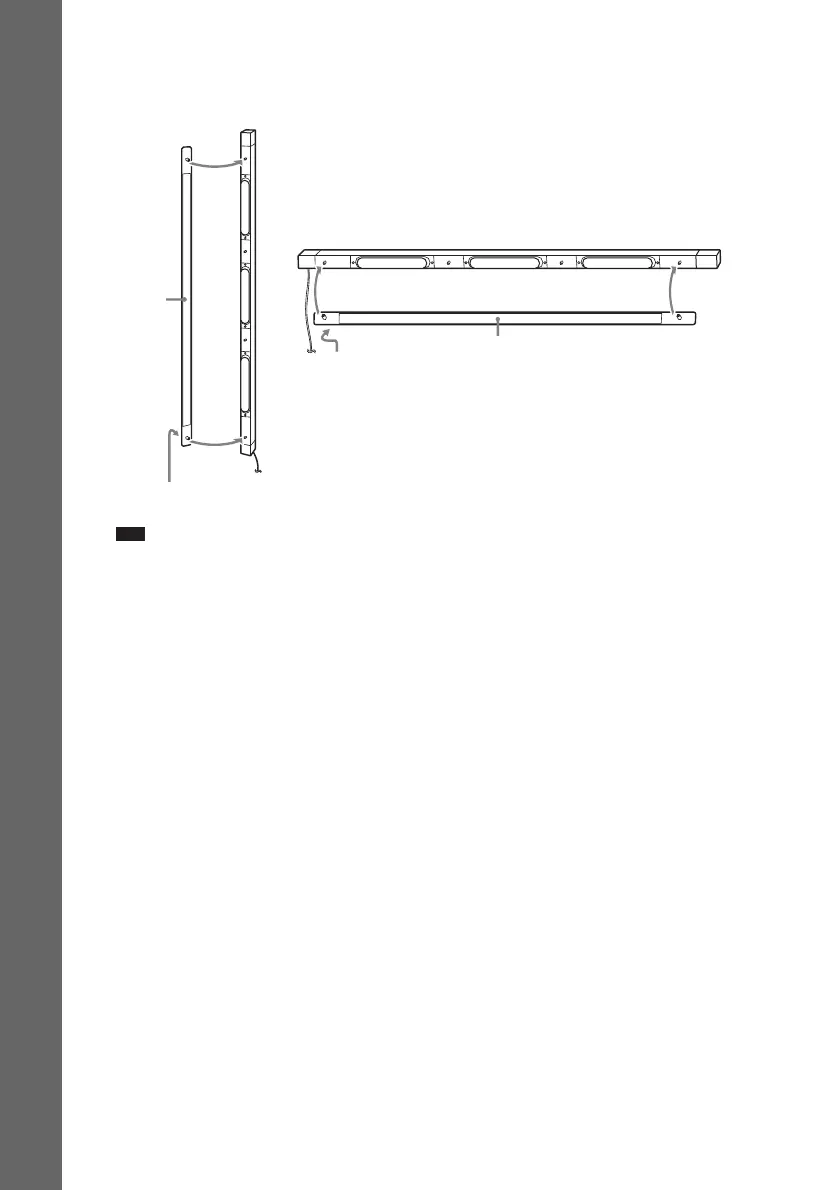
10 Attach the grille to the speaker.
Be careful with the orientation of the grille. The "SONY" logo should be at the bottom of the grille
for the front/surround speaker, and at the left side of the grille for the center speaker.
Note
• When assembling, take care not to touch the speaker unit.
• Do not push on the attached grille. It may cause damage to the speaker unit.
“SONY” mark
Grille
Center speaker
Front/Surround speaker
Grille
“SONY” mark


 To Next Page