49
GB
Getting Started
BDV-IS1000
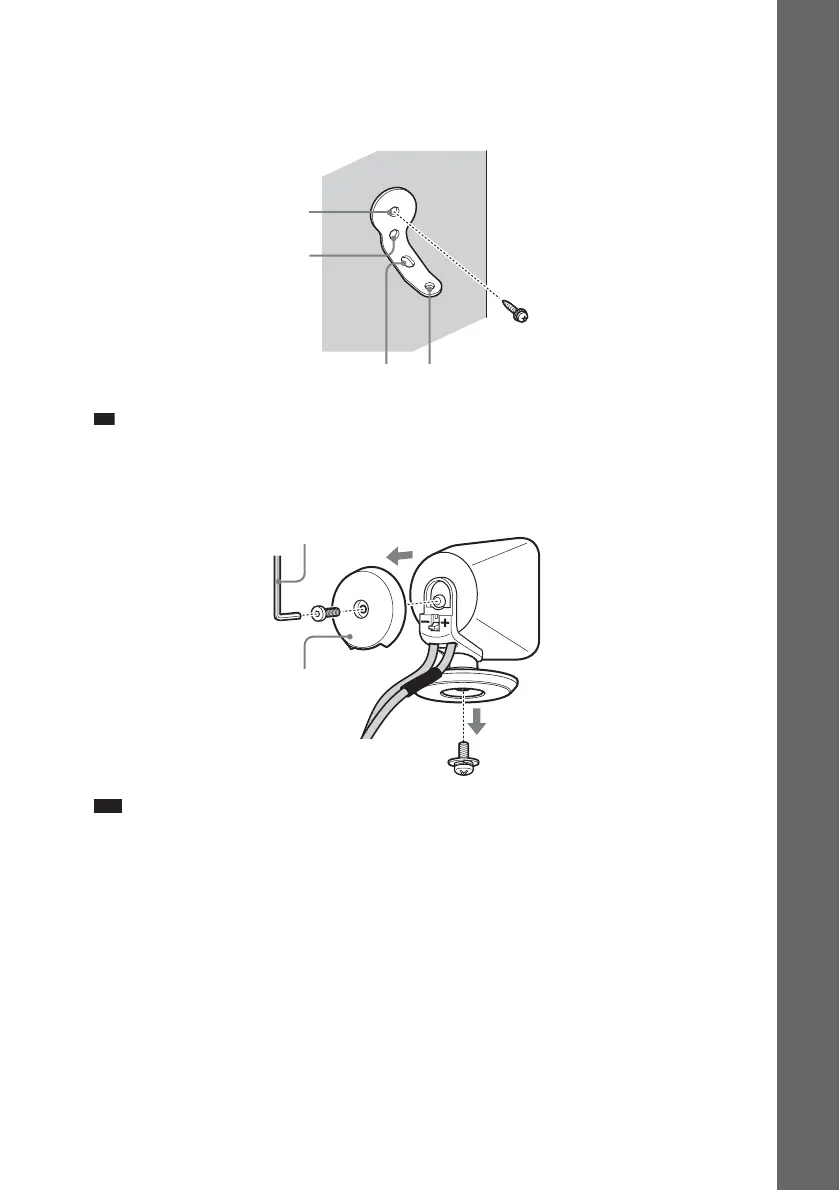
1 Prepare screws (not supplied) that are suitable for the holes of the bracket.
2 Secure the bracket to the wall using hole 1.
Ti
• To prevent the speaker from rotating, use the hole 2, too.
3 Remove the rear cap using the wrench (supplied), and remove the speaker pedestal
using a screwdriver (+) (not supplied).
Note
• The removed screw is used in a later step. Be sure not to lose the screw.
1
34
2
Rear cap
Wrench (supplied)
Screw


 To Next Page