50
GB
Getting Started
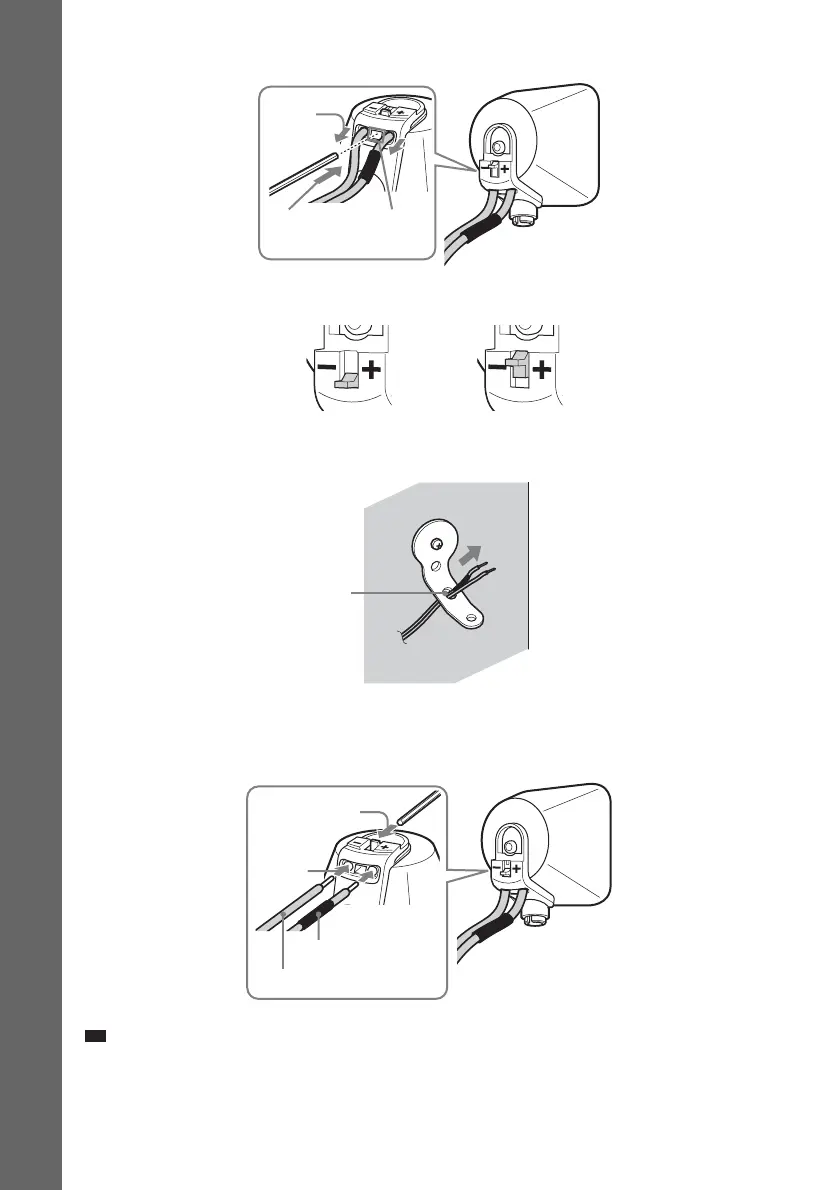
4 Push A with the supplied wrench (1), and then remove the speaker cords (2).
5 Thread the speaker cords through hole 3.
6 Reconnect the detached speaker cords, matching 3/# to the appropriate speaker
terminals (1), and then push the lever down completely (2).
Ti
• If it is difficult to push the lever down, use the wrench (supplied).
(1)
When the lever is down, the
speaker cords are locked.
When the lever is up, the
speaker cords can be removed.
(2)
A
3
#
3
(1)
(2)


 To Next Page