To scroll the screen
•
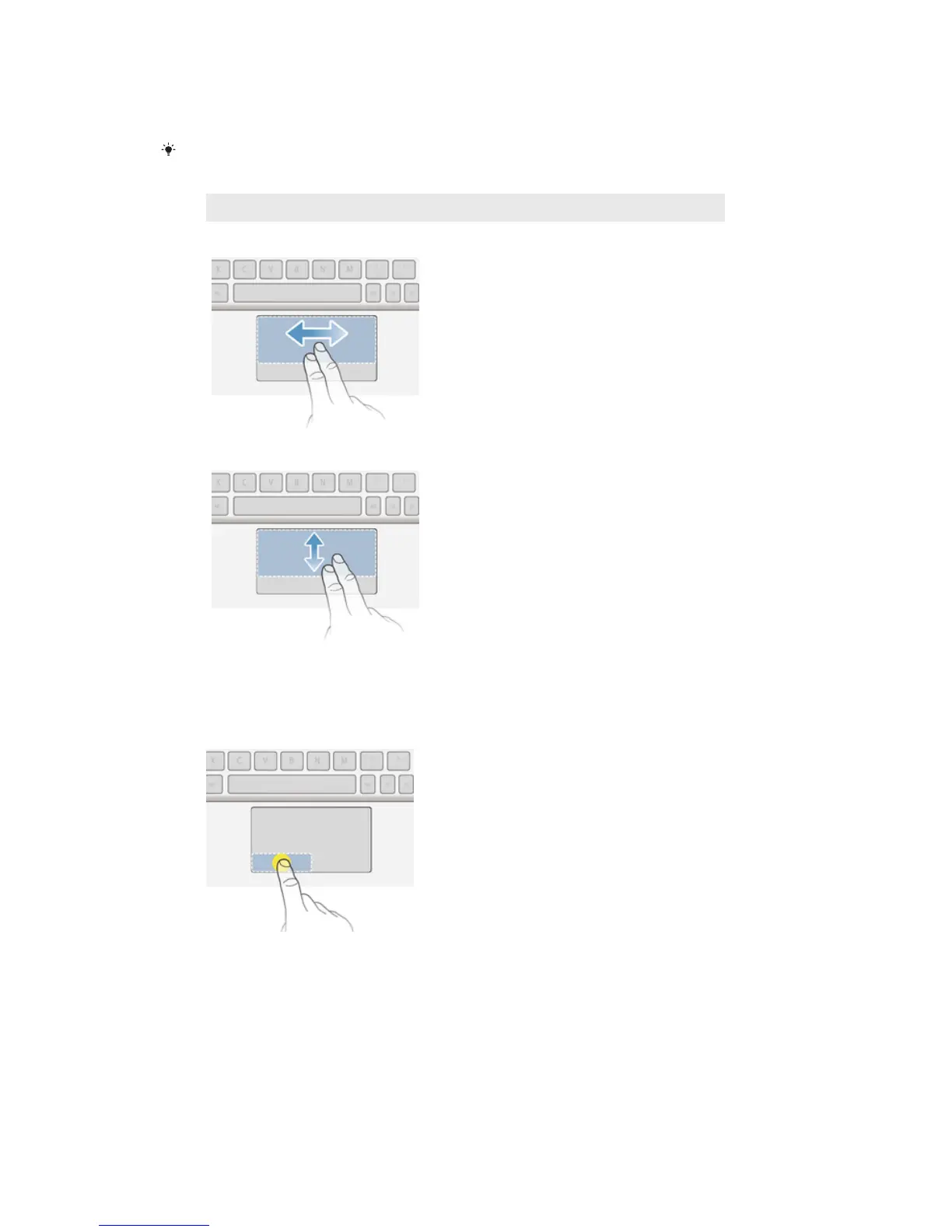
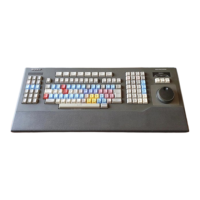
Slide two fingers on the touchpad until a circular pointer appears, then slide left
or right, or up and down, to scroll the tablet screen.
Sliding left or right on the touchpad is equivalent to flicking left or right on the
tablet screen.
Motion On-screen action
Slide across
Flick page by page.
Slide up or down
Scroll page by page.
To click
1
Move one finger on the active zone to locate the pointer.
2
Move the pointer to the desired item or object, then press the left button zone
once or tap the active zone briefly with one finger.
To right click
1
Move one finger on the active zone to locate the pointer.
2
Move the pointer to the desired item or object, then press the right button zone
once.
10
This is an Internet version of this publication. © Print only for private use.



 To Next Page