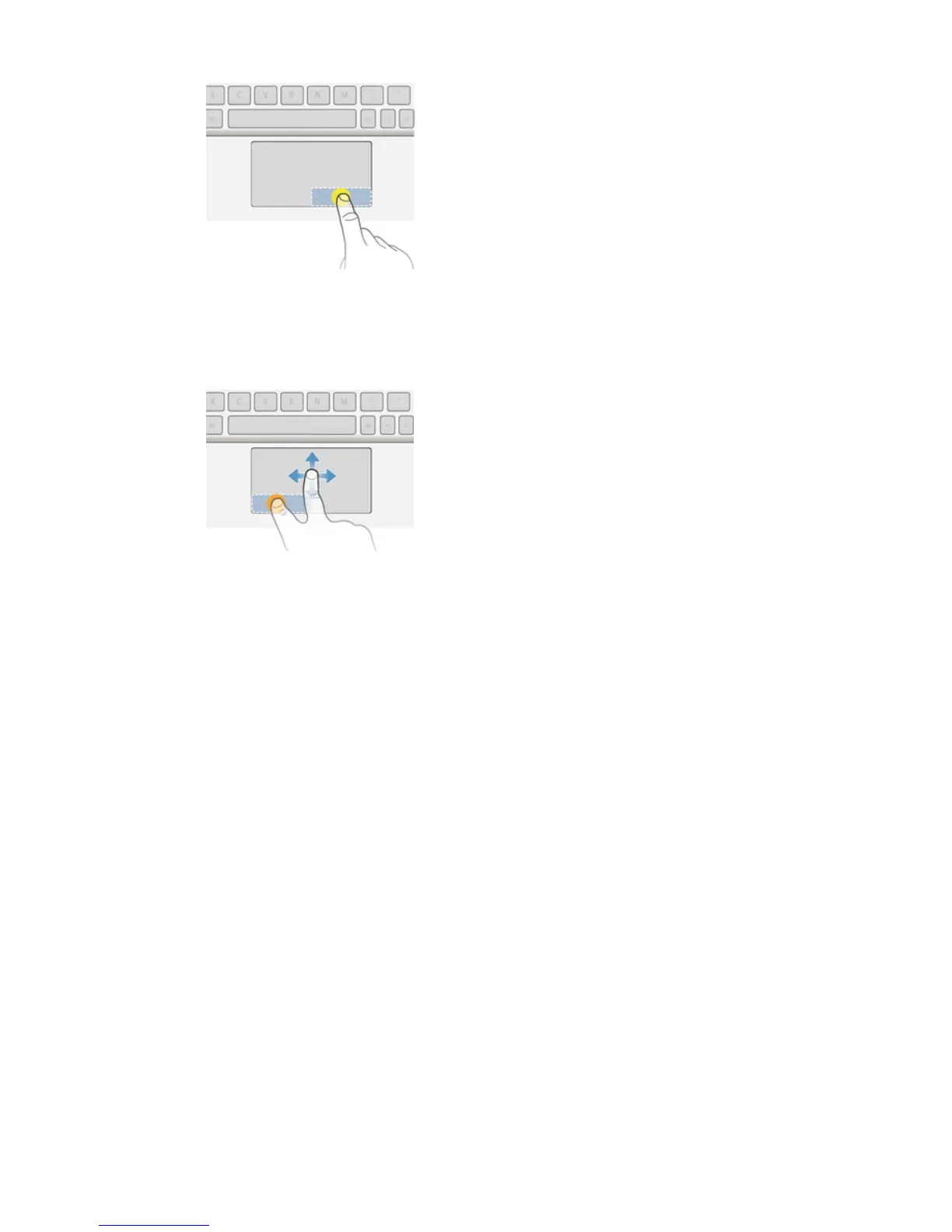
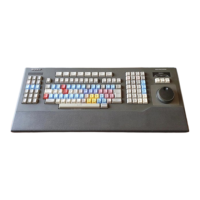
To drag and drop
1
Move one finger on the active zone to locate the pointer, then move it over the
item that you want to select.
2
Long press the left button zone.
3
Using another finger, drag and drop the selected item to the desired position.
To pinch in or out
1
Press and hold the active zone using two fingers until a circular pointer
appears, then move it to the desired position on the tablet screen.
2
Using two fingers, pinch to zoom in or out.
Sleep mode
When connected, the keyboard goes into sleep mode to save power if it is inactive
for five minutes.
To wake up the keyboard from sleep mode
•
Press any key or slide the power switch briefly downwards.
Resetting the keyboard
You can perform a hardware reset on your Bluetooth Keyboard if it behaves
unexpectedly. All information about paired devices gets deleted when you perform a
reset.
To perform a hardware reset
•
Press and hold down the pair key and, at the same time, slide the power
switch downwards and keep it in the down position for 3 seconds.
11
This is an Internet version of this publication. © Print only for private use.



 To Next Page