42
GB
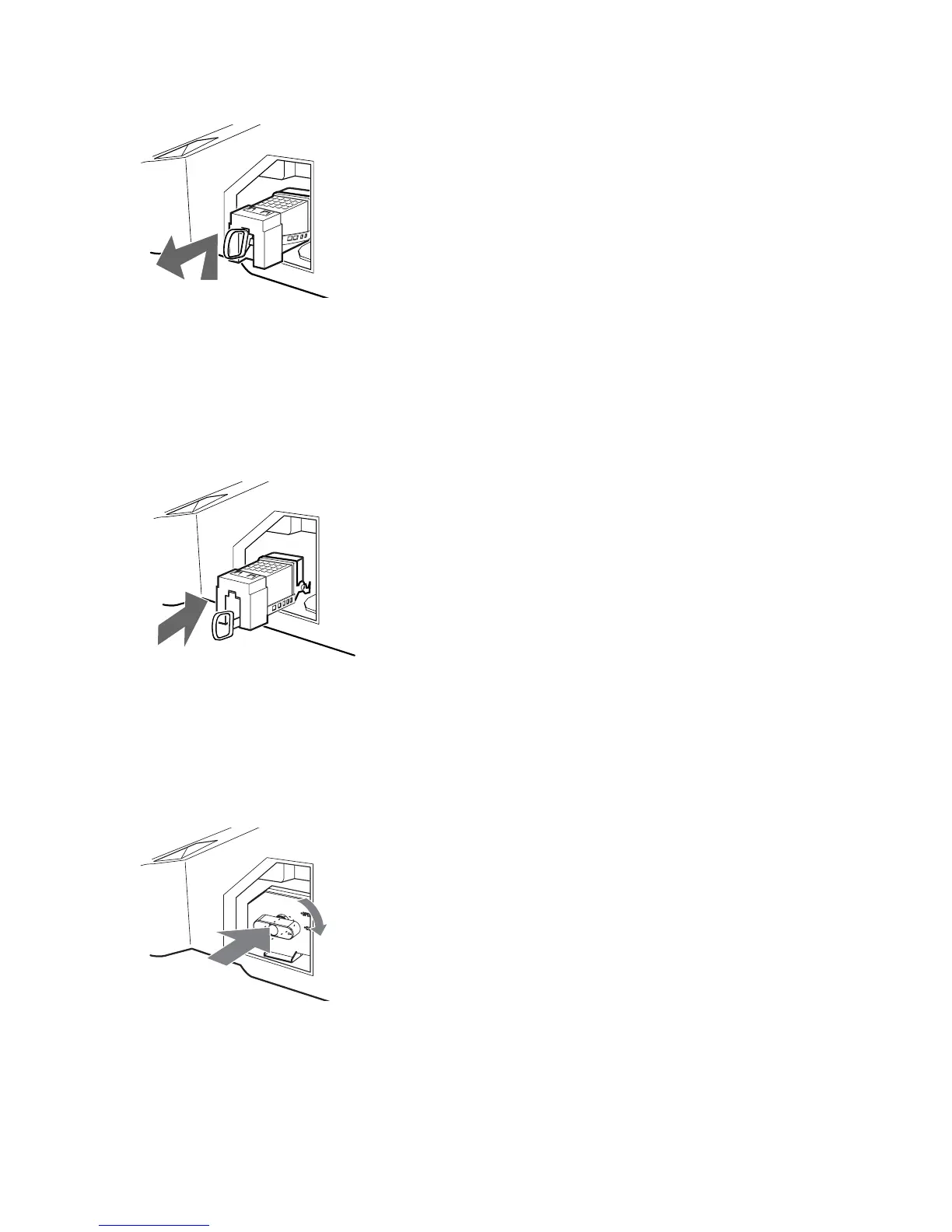
6 Pull out the lamp.
Hook a finger through the loop of the lamp handle and pull the handle upwards. Then pull the lamp straight out..
Tips
• The lamp is very hot immediately after use. Never touch the glass portion of the lamp or the surrounding parts.
• After the used lamp has cooled, place it into the empty box of the replacement lamp. Never put the used lamp into
a plastic bag.
7 Put the new lamp into its place.
Mount the new lamp securely. Failure to do so may cause a fire or the screen to go dark.
Tip
• If the lamp is not securely reattached, the self-diagnostic function may be triggered and the POWER/STANDBY
indicator flashes three times (see page 9).
8 Reattach the lamp door.
Turn the knob back to CLOSE and secure the cover.





 To Next Page