EasyManua.ls Logo

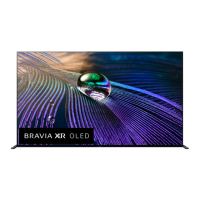
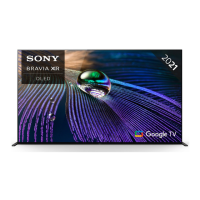
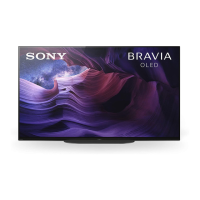
Sony BRAVIA XBR-48A9S - User Manual

Sony BRAVIA XBR-48A9S
21 pages
Print Icon
To Next Page IconTo Next Page
Loading...
XBR-48A9S
5-014-798-11(2)
XBR-48A9S
Reference Guide
Manuel de référence
Guía de referencia
US
FR
ES
C:\Users\User\Desktop\SONY TV\NDL\SY20_NDL_UCM_RG_112\01GB\UCM
US\5014798112_US.fm
master page: Cover
5-014-798-11(2)
Television
léviseur
Televisor digital a
color con pantalla
de diodo orgánico
de emisión de luz
(OLED)
Service à la clientèle Sony
Canada :
http://www.sony.ca/support
États-Unis :
http://www.sony.com/tvsupport
Canada États-Unis
1.877.899.SONY 1.800.222.SONY
Appelez le numéro de téléphone qui
apparaît sur votre carte/police de garantie.
Ne retournez pas le produit au magasin.
Sony Customer Support
U.S.A.:
http://www.sony.com/tvsupport
Canada:
http://www.sony.ca/support
United States Canada
1.800.222.SONY 1.877.899.SONY
Call the telephone number that appears on
your warranty card/policy.
Please do not return the product to the store.
Centro de Asistencia de Sony
http://esupport.sony.com/ES/LA/
Llame al número de teléfono que aparece
en su tarjeta/póliza de garantía.
Por favor no devuelva el producto a la
tienda donde adquirió el producto.
Lea este manual antes de usar el producto
Read this manual before using this product
Lisez ce manuel avant d’utiliser le produit
Question and Answer IconNeed help?

Do you have a question about the Sony BRAVIA XBR-48A9S and is the answer not in the manual?

Summary

About Manuals

Setup Guide

Details TV installation and setup procedures.

Reference Guide; Safety Documentation

Covers safety, remote control, troubleshooting, wall-mount, and specifications.

Help Guide (On Screen Manual)

Explains settings, Android TV functions, and troubleshooting via the TV interface.

Owners Record

Safety Information

FCC Related Information

Compatible Wall-Mount Bracket Information

Before Setting Up Your TV

Securing the TV

Preventing the TV from Toppling

Guidelines and measures to prevent the TV from tipping over and causing damage or injury.

Recommended Measures to Secure the TV

Specific steps for securely mounting the TV to a stand or wall using braces and hardware.

The BRAVIA 4 K TV Experience

Four Steps to a 4 K TV Experience

A guide to optimizing the TV's 4K experience through setup, source, sound, and connectivity.

Protecting the TV Screen (OLED TV)

Image Retention Precautions

Explains the risk of image retention on OLED screens and provides methods to prevent it.

Panel Refresh and Pixel Shift

Describes features like Panel Refresh and Pixel Shift that help maintain screen uniformity.

Remote Control and TV Overview

Guidelines for IR Remote Control

Installing the TV to the Wall

Using the optional Wall-Mount Bracket (SU-WL855 only)

Explains the use of a specific optional bracket for wall mounting.

Wall-Mount Bracket Installation Information

Provides information on obtaining detailed wall-mount bracket installation instructions.

Preparing for Wall-Mount Installation

Remove the stand cover and terminal covers

Steps for preparing the TV by removing protective covers before wall mounting.

Remove the screws from the rear of the TV

Instructions for removing specific screws from the TV's rear panel.

Wall-Mount Bracket Installation

Remove the screws from the rear of the TV

Instructions for removing specific screws from the TV's rear panel for bracket attachment.

Attach the Wall-Mount Bracket (not supplied) using the screws (not supplied)

Details on attaching the bracket using appropriate screws and hole patterns.

Detaching the Table-Top Stand

Troubleshooting Common Issues

General Troubleshooting Steps

Solutions for common problems like no picture, no sound, frozen screen, or network loss.

System Reset and Password Recovery

Procedures for factory reset and resolving forgotten parental/profile passwords.

Screen Behavior and Image Retention Concerns

Addressing screen dimming and concerns about image retention.

Specifications

System Specifications

Details TV system, channel coverage, panel type, speaker output, and wireless technology.

Input;Output Jacks

Information on available ports like CABLE/ANTENNA, VIDEO IN, and various HDMI inputs.

Specifications: Ports and Dimensions

Audio, Network, and Connection Ports

Details on DIGITAL AUDIO OUT, USB, LAN, headphone jacks, and other connectivity.

Dimensions, Mass, and Licensing

Information on physical size, weight, and legal licensing details for the product.

For Your Convenience: Online Registration

Summary

About Manuals

Setup Guide

Details TV installation and setup procedures.

Reference Guide; Safety Documentation

Covers safety, remote control, troubleshooting, wall-mount, and specifications.

Help Guide (On Screen Manual)

Explains settings, Android TV functions, and troubleshooting via the TV interface.

Owners Record

Safety Information

FCC Related Information

Compatible Wall-Mount Bracket Information

Before Setting Up Your TV

Securing the TV

Preventing the TV from Toppling

Guidelines and measures to prevent the TV from tipping over and causing damage or injury.

Recommended Measures to Secure the TV

Specific steps for securely mounting the TV to a stand or wall using braces and hardware.

The BRAVIA 4 K TV Experience

Four Steps to a 4 K TV Experience

A guide to optimizing the TV's 4K experience through setup, source, sound, and connectivity.

Protecting the TV Screen (OLED TV)

Image Retention Precautions

Explains the risk of image retention on OLED screens and provides methods to prevent it.

Panel Refresh and Pixel Shift

Describes features like Panel Refresh and Pixel Shift that help maintain screen uniformity.

Remote Control and TV Overview

Guidelines for IR Remote Control

Installing the TV to the Wall

Using the optional Wall-Mount Bracket (SU-WL855 only)

Explains the use of a specific optional bracket for wall mounting.

Wall-Mount Bracket Installation Information

Provides information on obtaining detailed wall-mount bracket installation instructions.

Preparing for Wall-Mount Installation

Remove the stand cover and terminal covers

Steps for preparing the TV by removing protective covers before wall mounting.

Remove the screws from the rear of the TV

Instructions for removing specific screws from the TV's rear panel.

Wall-Mount Bracket Installation

Remove the screws from the rear of the TV

Instructions for removing specific screws from the TV's rear panel for bracket attachment.

Attach the Wall-Mount Bracket (not supplied) using the screws (not supplied)

Details on attaching the bracket using appropriate screws and hole patterns.

Detaching the Table-Top Stand

Troubleshooting Common Issues

General Troubleshooting Steps

Solutions for common problems like no picture, no sound, frozen screen, or network loss.

System Reset and Password Recovery

Procedures for factory reset and resolving forgotten parental/profile passwords.

Screen Behavior and Image Retention Concerns

Addressing screen dimming and concerns about image retention.

Specifications

System Specifications

Details TV system, channel coverage, panel type, speaker output, and wireless technology.

Input;Output Jacks

Information on available ports like CABLE/ANTENNA, VIDEO IN, and various HDMI inputs.

Specifications: Ports and Dimensions

Audio, Network, and Connection Ports

Details on DIGITAL AUDIO OUT, USB, LAN, headphone jacks, and other connectivity.

Dimensions, Mass, and Licensing

Information on physical size, weight, and legal licensing details for the product.

For Your Convenience: Online Registration

Sony BRAVIA XBR-48A9S Specifications

General IconGeneral
Screen Typeoled
Colorblack
Wall Mount300mm x 300mm
Featuresexplore the sony 50" options
Tunerdigital
Screen Size47.5 inches, 48 inches
Resolution4k (2160p)
Refresh Rate120hz
Closed Captioningyes
Motion Enhancementx-motion clarity
HDRyes
HDR Formathdr 10, hybrid log-gamma (hlg), dolby vision
Built-In Speakerstrue, front firing
Surround Sounddts digital surround
HDMI Ports4
HDMI 2.1 Ports2
HDMI ARC Portsyes
USB Ports2
USB 2.0 Ports2
Ethernetyes
RF Antennayes
Bluetoothtrue, 4.2
Networkbuilt-in wi-fi, ethernet
Digital Optical Audio Outputs1
Component Video Inputs0
Composite Video Inputs1
DVI0
SmartTVandroid tv
Streaming Servicesparamount+, disney+, hbo max, hulu, netflix, prime video, showtime, starz, sling tv, youtube
Smart Applicationsamazon alexa, google assistant
Voice Assistantamazon alexa, google assistant
Remote Controlvoice control
3Dno
Power Consumption192 kilowatt hours
Depth with Stand10.12 inches
Height with Stand24.87 inches
Width with Stand42.12 inches
Net Weight with Stand38.8 pounds
Depth without Stand2.37 inches
Height without Stand24.62 inches
Net Weight without Stand30.7 pounds

Related product manuals