
 Need help?
Do you have a question about the Sony BRAVIA XBR-65A9G and is the answer not in the manual?
Identifies where to find the TV model and power supply rating labels.
Space to record model and serial numbers for future reference.
Details the manufacturer's declaration and FCC compliance information.
Warns about the risk of the TV toppling and causing injury or death.
Lists compatible Sony Wall-Mount Brackets for the TV model.
Provides measures to prevent the TV from toppling and causing damage.
Details how to secure the TV to a stand and the stand to the wall.
Instructions on cleaning the TV screen and cabinet safely and effectively.
Outlines four key steps for setting up and enjoying the 4K TV experience.
Advises on preventing image retention and damage to the OLED screen.
Explains features like Panel Refresh and Pixel Shift for screen care.
Reinforces measures to prevent the TV from toppling over.
Identifies and explains the TV's physical controls and indicator lights.
Details the function and location of various buttons on the remote control.
Explains various buttons like GUIDE, INPUT, VOL, CH, AUDIO, SUBTITLE/CC, HELP.
Provides tips for optimal IR remote control performance and troubleshooting.
Illustrates how to connect various external devices to the TV's inputs/outputs.
Provides specific guidance for connecting Center Speaker, Remote IR, Video, Headphone, USB, and HDMI ports.
Instructions for preparing the TV for wall mounting with the SU-WL855 bracket.
Instructions for wall mounting using brackets other than SU-WL855.
Step-by-step guide to detach the TV's table-top stand.
Specifies required clearances for proper ventilation when installed with stand or on wall.
Provides initial steps for common TV issues like no response or network loss.
Addresses problems like LED flashing, no picture/sound, remote issues, and overheating.
Explains image retention and how to prevent it on OLED screens.
Details TV system, channel coverage, panel, speaker, and wireless technology.
Lists various input/output jacks, optional accessories, power details, and screen size.
Provides approximate dimensions and weight of the TV with and without the stand.
Lists various trademarks, logos, and licensing information for technologies used.
Information on registering your TV and obtaining software updates.
Explains how to configure and manage the hands-free voice search feature.
Introduces the safety and regulatory booklet for operating the TV.
Provides essential safety instructions for operating and maintaining the TV.
Lists locations and environments where TV installation is prohibited due to safety risks.
Provides specific safety advice regarding moisture and other potential hazards.
Details how to safely clean the TV cabinet and screen.
Explains ventilation requirements and general installation guidelines.
Provides crucial steps to prevent the TV from toppling over, ensuring safety.
Discusses magnetic fields, wall-mount installation requirements, and AC power cord safety.
Guidance on safely using accessories, handling batteries, and their disposal.
Advises on avoiding damage to the OLED screen, including scratches and sunlight exposure.
Covers precautions for broken screens and when to seek professional servicing.
Advises on taking breaks and supervising children during 3D viewing.
Emphasizes safe practices for installing and placing televisions to prevent accidents.
Details the warranty period, what's covered, exclusions, and limitations.
Outlines procedures for resolving disputes, including arbitration and opt-out instructions.
Presents the legal agreement for using software and services with the Sony product.
Explains the core terms of the EULA, including software, services, and data collection.
 General
| Screen Type | oled |
|---|---|
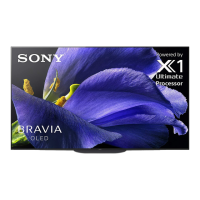
| Features | picture processor x1 ultimate and 4k x-reality pro, acoustic surface audio+, triluminos display, motionflow xr |
| Tuner | digital |
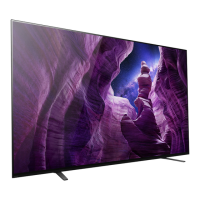
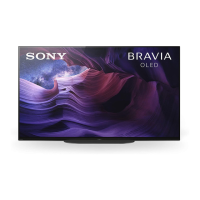
| Screen Size | 64.5 inches, 65 inches |
| Resolution | 4k (2160p) |
| Refresh Rate | 120hz |
| Closed Captioning | yes |
| Motion Enhancement | motionflow xr 240 |
| HDR | yes |
| HDR Format | dolby vision, hdr 10, hybrid log-gamma (hlg) |
| Built-In Speakers | true, front firing |
| Surround Sound | dts digital surround, dolby digital, dolby digital plus |
| HDMI Ports | 4 |
| HDMI 2.1 Ports | 4 |
| HDMI ARC Ports | yes |
| USB Ports | 3 |
| Ethernet | yes |
| RF Antenna | yes |
| Bluetooth | true, 4.2 |
| Network | built-in wi-fi, ethernet |
| Headphones Output | yes |
| Digital Optical Audio Outputs | 1 |
| Component Video Inputs | 0 |
| Composite Video Inputs | 1 |
| DVI | 0 |
| SmartTV | android tv |
| Streaming Services | paramount+, disney+, hbo max, hulu, netflix, prime video, showtime, starz, sling tv, youtube |
| Smart Applications | amazon alexa, apple homekit, google assistant, nest |
| Voice Assistant | google assistant |
| Remote Control | voice control |
| 3D | no |
| Power Consumption | 280 kilowatt hours |
| Depth with Stand | 10.13 inches |
| Height with Stand | 33 inches |
| Width with Stand | 57 inches |
| Net Weight with Stand | 54.7 pounds |
| Depth without Stand | 1.57 inches |
| Height without Stand | 32.8 inches |
| Net Weight without Stand | 46.7 pounds |


 To Next Page