Need help?
Do you have a question about the Sony XR-77A80L and is the answer not in the manual?
Chart to identify likely defective parts based on symptoms.
Chart for troubleshooting specific model series based on symptoms.
Chart for troubleshooting XR-83A80* models based on symptoms.
Troubleshooting steps for 2x LED blinking indicating Main power error.
Troubleshooting steps for 3x LED blinking indicating DC Alert.
Troubleshooting steps for 3x LED blinking indicating AUD_ERR.
Troubleshooting steps for 4x LED blinking indicating LD_ERR.
Troubleshooting steps for 4x LED blinking indicating BCM_ERR.
Troubleshooting steps for no sound from speakers.
Troubleshooting steps for no sound from headphone, audio, or optical outputs.
Troubleshooting steps for no sound in TV Centre Speaker Mode.
Troubleshooting steps for no sound from the tuner.
Troubleshooting steps for no sound via HDMI inputs.
Initial troubleshooting steps for no picture issues.
Troubleshooting steps for no picture from tuner input.
Troubleshooting steps for wired Ethernet connection issues.
Troubleshooting steps for Wi-Fi/Bluetooth wireless network issues.
Troubleshooting steps for Bluetooth device malfunctions.
 General
| Sound modes | Cinema, Dialog, Dolby Audio, Music, Sports, Standard |
|---|---|
| Audio decoders | Dolby Atmos, DTS Digital Surround |
| RMS rated power | 60 W |
| Number of speakers | 5 |
| Audio output channels | 3.2 channels |
| Enhanced Audio Return Channel (eARC) | Yes |
| HDCP version | 2.3 |
| Headphone outputs | - |
| HDMI ports quantity | 4 |
| USB 2.0 ports quantity | 2 |
| Digital audio optical out | 1 |
| Consumer Electronics Control (CEC) | BRAVIA Sync |
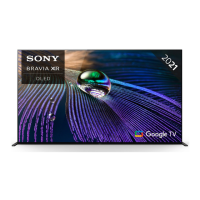
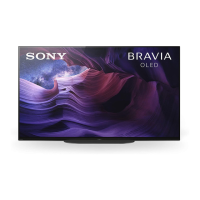
| Color name | Titanium Black |
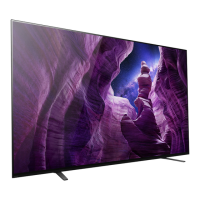
| Stand type | Legs stand |
| Stand color | Black |
| Panel mounting interface | 300 x 300 mm |
| Screen shape | Flat |
| Response time | 8 ms |
| Display diagonal | 77 \ |
| Display brightness | - cd/m² |
| Display technology | OLED |
| Native aspect ratio | 16:9 |
| Native refresh rate | 120 Hz |
| Supported video modes | 480p, 720p, 1080i, 1080p, 2160p |
| Display diagonal (metric) | 195 cm |
| Supported graphics resolutions | 640 x 480 (VGA), 800 x 600 (SVGA), 1024 x 768 (XGA), 1152 x 864 (XGA+), 1280 x 1024 (SXGA), 1280 x 720 (HD 720), 1600 x 900, 1680 x 1050 (WSXGA+), 1920 x 1080 (HD 1080), 3840 x 2160, 4096 x 2160 |
| AC input voltage | 110-240 V |
| AC input frequency | 60 Hz |
| Energy efficiency scale | A to G |
| Power consumption (standby) | 0.5 W |
| Power consumption (typical) | 142 W |
| Package depth | 188 mm |
| Package width | 1911 mm |
| Package height | 1137 mm |
| Package weight | 51000 g |
| Video apps | TV SideView |
| Smart modes | Cinema, Custom, Dolby Vision, Game, Graphics, IMAX Enhanced, Netflix Calibrated, Photo, Standard, True Cinema, Vivid |
| App distribution platform | Google Play |
| Operating system installed | Google TV |
| Wi-Fi standards | 802.11a, 802.11b, 802.11g, Wi-Fi 4 (802.11n), Wi-Fi 5 (802.11ac) |
| Bluetooth version | 4.2 |
| Bluetooth profiles | A2DP, AVRCP, HID, HOGP, SPP |
| Game features | Auto Low Latency Mode (ALLM), Variable Refresh Rate (VRR) |
| USB recording | No |
| Audio formats supported | LPCM |
| Video formats supported | ASF, AVC, AVCHD, AVI, HEVC, M-JPEG, MPEG1, MPEG2-PS, MPEG2-TS, MPEG4, VC-1, WMV, XVID |
| Picture processing technology | Sony Cognitive Processor XR, Sony Dynamic Contrast Enhancer, Sony Live Colour, Sony XR HDR Remaster, Sony XR Smoothing, Sony XR Super Resolution |
| High Dynamic Range (HDR) technology | Dolby Vision, High Dynamic Range 10 (HDR10), Hybrid Log-Gamma (HLG) |
| Cables included | AC |
| Manual languages | ENG, ESP, FRE |
| On Screen Display (OSD) languages | AFR, ARA, BEL, BOS, BUL, CAT, CZE, DAN, DEU |
| Tuner type | Analog & digital |
| Number of tuners | 1 tuner(s) |
| Supported TV bands | CATV, UHF, VHF |
| Analog signal format system | VHF |
| Digital signal format system | ATSC, QAM |
 Weight and Dimensions
| Stand width | 1409 mm |
|---|---|
| Depth (with stand) | 389 mm |
| Height (with stand) | 1066 mm |
| Weight (with stand) | 37000 g |
| Depth (without stand) | 54 mm |
| Width (without stand) | 1722 mm |
| Height (without stand) | 998 mm |
| Weight (without stand) | 34800 g |


 To Next Page