EasyManua.ls Logo

Sony XEL-1 - User Manual

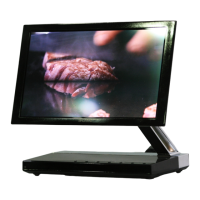
Sony XEL-1
52 pages
Print Icon
To Next Page IconTo Next Page
Loading...
OLED Digital TV
Operating Instructions

Questions and Answers

  • J
    jeverettSep 9, 2025
    Why does ghosting appear occasionally on my Sony XEL-1?
    • J
      Jacob BennettSep 9, 2025
      In order to protect the screen, the brightness of the screen is automatically adjusted on your Sony OLED TV. When “Auto Brightness Control” is set to “Low”, prolonged display of bright images may cause ghosting. In this case, select “High” to reduce the ghosting.
  • L
    Lauren ShepardAug 25, 2025
    Why does my Sony OLED TV turn off automatically?
    • J
      john83Aug 25, 2025
      If your Sony OLED TV turns off automatically, check if the “Sleep Timer” is activated, or confirm the “Duration” setting of “On Timer Settings”. Also, if no signal is received and no operation is performed in the TV mode for 10 minutes, the TV automatically switches to standby mode.
  • E
    Edwin BradyAug 25, 2025
    Why does my Sony XEL-1 turn on automatically?
    • J
      Jacob ClaytonAug 26, 2025
      If your Sony OLED TV turns on automatically, check if the “On Timer” is activated.
  • T
    tgreenSep 23, 2025
    Why does ghosting appear occasionally on my Sony TV?
    • A
      Angela RasmussenSep 23, 2025
      If ghosting appears occasionally on your Sony TV, it is because in order to protect the screen, the brightness of the screen is automatically adjusted. When “Auto Brightness Control” is set to “Low”, prolonged display of bright images may cause ghosting. In this case, select “High” to reduce the ghosting.
  • S
    Sharon AyalaSep 10, 2025
    Why doesn't HDMI equipment appear on “HDMI Device List” of Sony XEL-1 OLED TV?
    • S
      Shannon JacksonSep 10, 2025
      Check that your equipment is “Control for HDMI” compatible equipment.
  • H
    Henry BellSep 14, 2025
    Why does my Sony TV only show snow and noise in analogue mode?
    • L
      Lisa NelsonSep 14, 2025
      If your Sony TV shows only snow and noise on the screen in analogue mode, check the following: * Check if the aerial/antenna is broken or bent. * Check if the aerial/antenna has reached the end of its serviceable life (three to five years in normal use, one to two years at the seaside).
  • R
    Ronald CastroSep 4, 2025
    What to do if digital text does not appear on Sony XEL-1?
    • R
      Robin GoldenSep 4, 2025
      Check if “Location” is set to “Home” on your Sony OLED TV. If not, select “Auto Start-up” in “Set-up” settings. After setting “Language” and “Country”, set “Location” to “Home”.
  • C
    Crystal HartSep 4, 2025
    Why do some tiny black points appear on the screen of my Sony XEL-1?
    • D
      David GordonSep 5, 2025
      The picture of a display unit is composed of pixels. Tiny black points on the screen of your Sony OLED TV do not indicate a malfunction.
  • K
    Kenneth NelsonSep 23, 2025
    Why is the “Shop” Mode currently selected on my Sony TV?
    • H
      Haley LeeSep 23, 2025
      If the “Shop” Mode is currently selected on your Sony TV, select “Home” mode from the initial set-up procedure in “Factory Settings” under the “Set-up” menu.
  • M
    Michael RiveraAug 29, 2025
    What to do if my Sony TV turns on automatically?
    • J
      James SullivanAug 30, 2025
      If your Sony TV turns on automatically, check if the “On Timer” is activated.

Sony XEL-1 Specifications

General IconGeneral
Display TypeOLED
Screen Size11 inches
Resolution960 x 540
Contrast Ratio1, 000, 000:1
Brightness200 cd/m²
HDMI Ports1
Viewing Angle180 degrees
Release Year2007

Related product manuals