Display/Picture
5 | P a g e
The picture is too dim or too bright
If the picture brightness is not comfortable for your eyes, you can adjust the brightness.
1. Press the HOME button.
2. W Series: Select Settings Display Picture Brightness.
R Series: Select Settings System Settings Picture Brightness.
3. Adjust Brightness.
The picture is not full screen (cropped or too small)
This may happen when the content format does not match with TV (refer to page 6).
Change the Wide Zoom Settings to display the picture properly.
1. Press the HOME button.
2. W Series: Select Settings Display Screen Screen Format/Wide
Mode.
R Series: Settings System Settings Screen Wide Mode
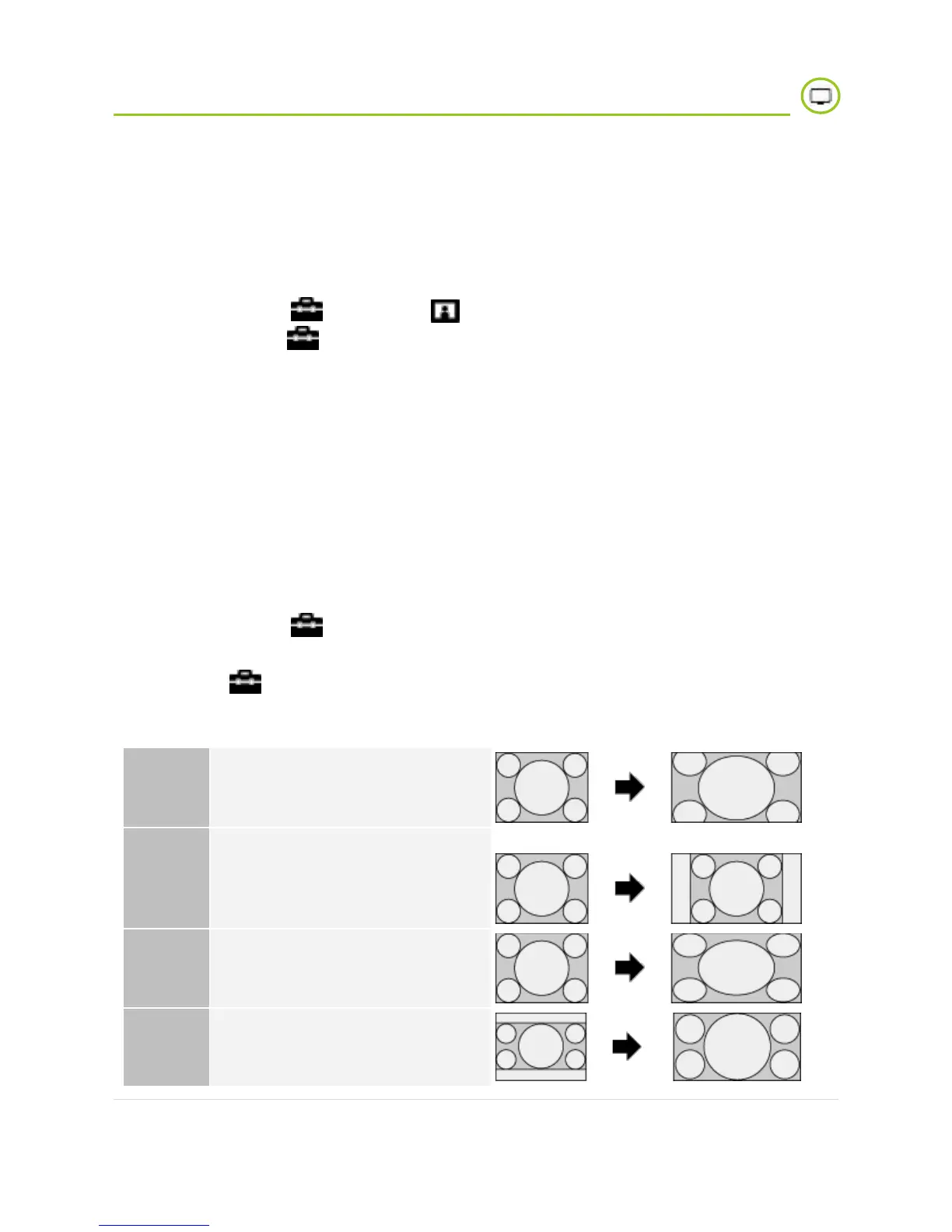
Some of available options:
Displays 16:9 picture that has
been converted into 4:3 letter
box format back to original.






 To Next Page