40
ZOOM/FOCUS Menu (BRC-
X400/X401, SRG-X400/X402/
201M2)
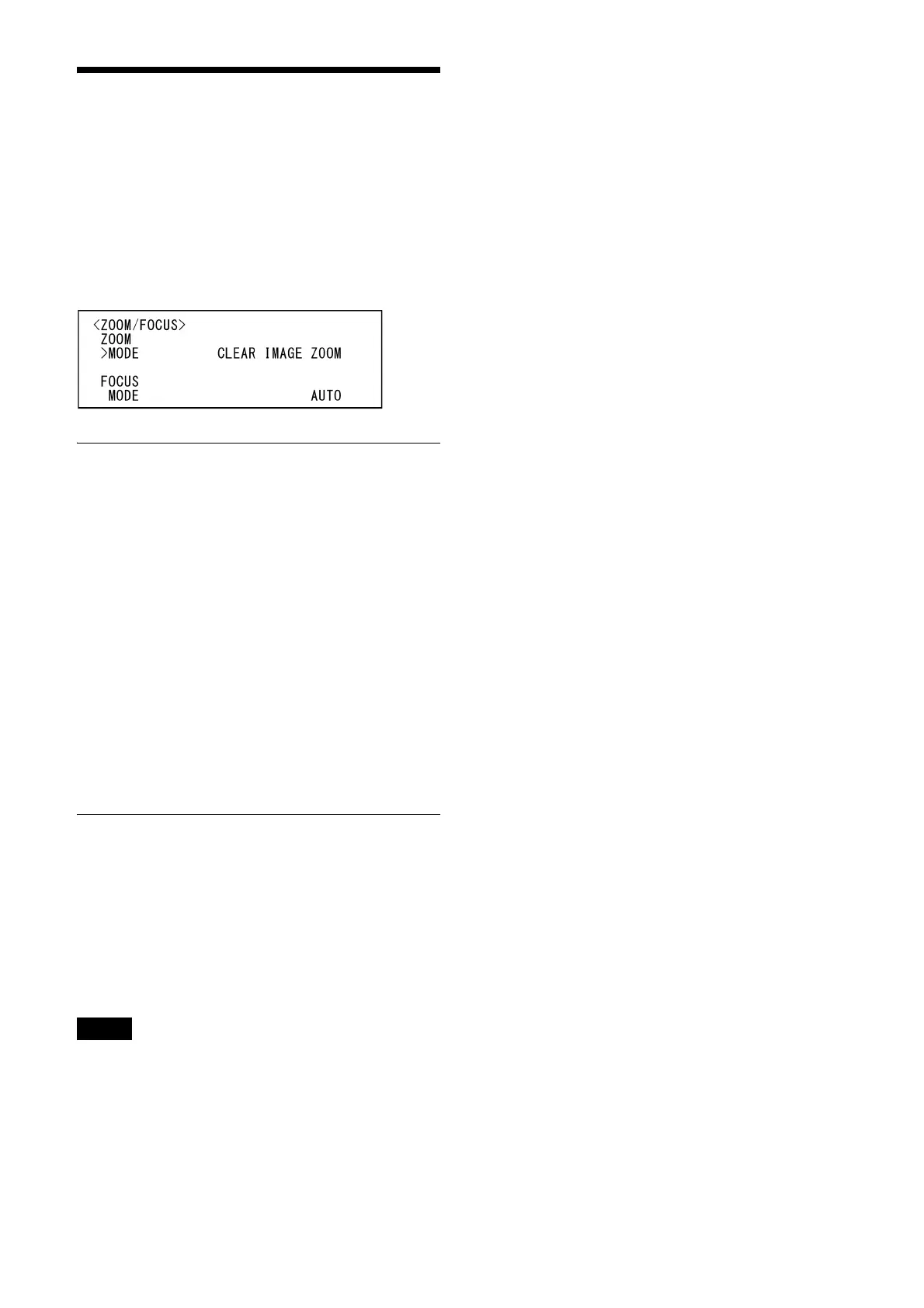
The ZOOM/FOCUS menu is used to select the
zoom/focus mode.
You can set the menu from the Administrator
menu on a web browser.
For details, see “PTZF control tab” (page 88).
ZOOM
MODE (Zoom - Zoom mode)
Select the zoom mode.
[OPTICAL]: Zooms objects within the optical
zoom range (up to 20x) of the camera.
[CLEAR IMAGE ZOOM] (Clear Image Zoom): An
image is zoomed with less deterioration of
image quality over the optical region.
Zooming is up to 1.5× when the video
output format is 3840×2160, and up to 2×
for other formats.
[DIGITAL]: An image can be zoomed up to 20×
optical zoom and 12× digital zoom
(including Clear Image Zoom) with up to a
total of 240× zoom.
FOCUS
MODE (Focus - Focus mode)
Select the focus mode.
[AUTO]: The camera focuses automatically.
[MANUAL]: You can focus manually. Adjust
using the supplied remote commander or
optional remote controller.
Notes
Select [MANUAL] and adjust the focus manually
when shooting the following objects.
• White walls and other objects without contrast
• Objects behind glass
• Objects with horizontal stripes
• Objects on which bright lights are cast or
reflected
• Nightscapes and other dark objects with
blinking lights
• Lit objects shot with darkened exposure
adjustment or exposure compensation
settings


 To Next Page