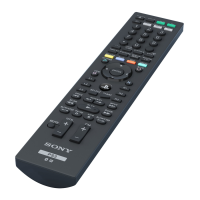
To reset the Bluetooth® Remote
1
Make sure that the Bluetooth® Remote is turned off.
2
Press and hold down the power key and the selection key simultaneously for at
least 10 seconds.
To force your Bluetooth® Remote to shut down
•
Press and hold down the power key for at least 15 seconds.
6
This is an Internet version of this publication. © Print only for private use.



 To Next Page