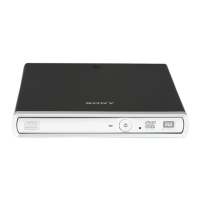
Introduction
Features
This CD-R/RW drive has the following features:
General
● 5 1/4 inch half-height drive form factor.
● Fast SCSI bus interface embedded (based on SCSI-2).
● Integrated buffer memory.
● Power tray loading and ejection (manual eject too).
● Housed in an airtight frame casing.
Supported formats and modes
● CD-ROM (mode 1), CD-ROM XA (Mode 2 form 1 & 2 data)
● PHOTO-CD (read only) & Video-CD, CD-I (Mode 2, form 1 and 2)
● CD-DA, CD-EXTRA and CD-I Ready (read only)
● CD-TEXT, CD-Recordable & CD-ReWritable
Audio
● Outputs 16-bit digital audio data over SCSI interface.
● Audio CD playback via Audio Out and headphones jack.
Note:
Please read this manual thoroughly before attempting installation.
System Requirements for WINDOWS 95/98/NT
● System requirements of format software
● SCSI host adapter card (Bus Mastering)
● 150 MB or more free hard disc space
● 3.5" floppy disk drive
● Mouse (Microsoft-compatible)
● 32 MB of RAM or more
Introduction 5
Contents
Introduction 5
Features..........................................................................................................5
System Requirements for WINDOWS 95/98/NT............................................5
Location and Function of Parts and Controls 6
Front Panel / Rear Panel................................................................................6
Precautions 7
Hardware Installation 7
Installing the Drive Unit into the Computer.....................................................7
Getting started ................................................................................................7
Step 1: Opening the Computer.......................................................................8
Step 2: SCSI Configuration ............................................................................8
Step 3: Finding the Connector........................................................................9
Step 4: Choosing the Configuration................................................................9
Step 5: Setting the Jumpers .........................................................................10
Step 6: Connecting the Drive........................................................................12
Step 7: Mounting the Drive...........................................................................13
Step 8: Connecting the Power Cable ...........................................................13
Step 9: Installation Review ...........................................................................14
Step 10: Closing the Computer ....................................................................14
Software Installation 15
Using Discs 15
Storing Discs.................................................................................................15
Care of Discs ................................................................................................15
Operating the Drive 16
Starting Up....................................................................................................16
Troubleshooting 18
Checklist .......................................................................................................18
Additional Installation Cases.........................................................................18
Technical Support .........................................................................................19
Specifications 20
Dimension diagram..........................................................Last page of manual
4



 To Next Page