Need help?
Do you have a question about the Sony DRX-S70U-W and is the answer not in the manual?
Start the computer and connect the USB cable and AC power adapter to the drive and power outlet.
Use the supplied software to read and write CDs and DVDs.
Details CD-R, CD-RW (High Speed, Ultra Speed) types and their usage.
Use appropriate discs for high speeds, configure writing software, and be aware of speed adjustments.
Update firmware from the user support web site to fix issues and enhance performance.
Download and install firmware updates from the user support web site to resolve issues.
 General
| Drive Type | External |
|---|---|
| Interface | USB 2.0 |
| Buffer Size | 2 MB |
| Write Speed DVD+R | 8x |
| Write Speed DVD-R | 8x |
| Write Speed DVD+RW | 4x |
| Write Speed DVD-RW | 4x |
| Write Speed CD-R | 24x |
| Read Speed DVD-ROM | 8x |
| Read Speed CD-ROM | 24x |
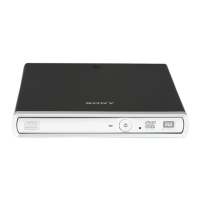
| Color | White |
| Disc Diameter | 12cm / 8cm |
| Supported Disc Formats | DVD-R, DVD+R, DVD-RW, DVD+RW, CD-R, CD-RW, CD-ROM |

 To Next Page