Need help?
Do you have a question about the Sony PDW-U1 and is the answer not in the manual?
Details the primary features and capabilities of the PDW-U1 disc drive unit.
Demonstrates a typical system configuration for reading or writing XDCAM material using the unit.
Lists and describes the software applications bundled with the PDW-U1 for system operation.
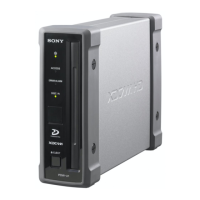
Describes the indicators, buttons, and mechanisms on the front of the PDW-U1 unit.
Explains the connectors and slots on the rear of the PDW-U1 unit for power and data connections.
Guides users through installing essential software on a computer to operate the PDW-U1.
Covers connecting the PDW-U1 to a computer and configuring initial settings for operation.
Details the steps for connecting the AC power adapter and cord to the PDW-U1 unit.
Provides instructions for proper use, care, and handling of the professional discs with the unit.
Introduces the process of managing video and audio data as files when the unit is connected to a computer.
Outlines the necessary steps to prepare the unit and computer for accessing files stored on the disc.
Explains methods for accessing and managing files using editing software or file explorers.
Guides on launching and closing the primary utility software for the PDW-U1 unit.
Covers the procedures for starting and exiting the PDZ-1 software for proxy AV data management.
Details the steps for launching and closing the PDZ-VX10 viewer application.
Explains how to start and exit the PDZK-P1 software for transferring XDCAM data on Macintosh.
Provides critical operational advice, including handling condensation and interpreting error indicators.
Lists the technical specifications of the PDW-U1 unit, covering power, dimensions, and environmental operating conditions.
 General
| Storage temperature (T-T) | 5 - 40 °C |
|---|---|
| Storage relative humidity (H-H) | 20 - 90 % |
| Media type | Magneto optical disk |
| Product type | Storage drive |
 Weight and Dimensions
| Depth | 226 mm |
|---|---|
| Width | 59 mm |
| Height | 164 mm |
| Weight | 1400 g |

 To Next Page