BF
le}(-me)mO@lelanc-al
cs
Chapter
1
Introduction
ed
aclors1ebdie)
ats)
Chapter
1
Introduction
PROCAUIONS
os
ccccsecdsnassscsccscsecoesecsssevhscbsssoncseceandssenovecsoossassexses
3
Chapter
2
Getting
Started
UNPACKING
sevissinsasccceaiscssscocesetcsnscsacssseccenceossscasecassnsdecasesesenes
4
Hooking
Up
the
System
............ccsssscscsesssscssscsescessssnsserees
5
Identifying
the
Parts
............sssscssssssssssesssssrscsesesssserserees
6
Chapter
3
Basic
Operations
Playing
Discs
—
Continuous
Play
.............cesssscsesscsssseerees
8
Playing
From
the
First
Selection
..............csssssesscssesosoes
8
Information
Display
................cssccsssscerssesscssssesecsssseseoees
9
Locating
@
Particular
Selection
...............ssssssssssssseeees
10
Locating
a
Particular
Point
in
a
Selection
................006
10
Replacing
Discs
While
Playing
a
Disc
..................0000e
11
Fade-In/Fade-Out
............ssssssssrcscsscsssessserseesersessssssesssssenees
12
Playing
in
a
Random
Order
—
Shuffle
Play
.................s00000
13
Playing
in
a
Specified
Order
—
Program
Play
...............s00006
14
Playing
the
Beginning
of
Each
Selection
—
Music
Scan
Play
...........csessccsesccssscsscssonscsscsssssseeseeres
17
Playing
Repeatedly
—
Repeat
Play
...............sscsssersssrereee
18
Chapter
4
Advanced
Operations
Locating
the
Loudest
Portion
of
the
Disc
—-
Peak
Search
...
19
Specifying
the
Total
Playing
Time
—
Time
Edit
...................
20
Fading
Out
at
the
Desired
Time
—
Time
Fade
...............
ores
22
Chapter
5
Additional
information
Maintenance
...........
oveeiesessabses
Ssetsbeducsee
acetesseeete
sasbeaeaceseeas
wee
23
Specifications
............cecccsscsceees
ivbsesesise’
seusewesatevecssaedcesess
23
Troubleshooting
.............ccsscsrssererrcscssecsseccsrsecees
Back
cover
Note
when
moving
the
player
Before
moving
the
player,
follow
the
procedure
below
to
return
the
internal
mechanisms
back
to
their
original
position.
1
Remove
all
of
the
discs
from
the
disc
tray.
2
Press
the
&
OPEN/CLOSE
button
to
close
the
disc
tray.
Make
sure
that
the
“no
disc”
indication
lights
up
in
the
front
pane!
display.
3
Wait
for
10
seconds,
then
press
the
POWER
button
to
tum
the
player
off.
Differences
by
Model
This
instruction
manual
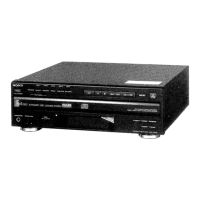
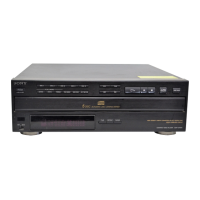
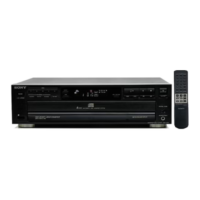
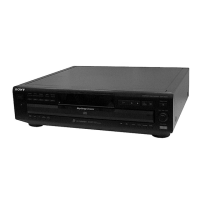
covers
CDP-C345
and
CDP-C245/
C741.
Their
performance
is
identical
except
for
the
following:
¢
The
remote
commander
(RM-D335)
is
supplied
with
the
CDP-C345
only.
Convention
SY
This
indicates
a
function
operated
only
from
the
Kr;
main
unit.
On
safety
¢
Should
any
solid
or
liquid
object
enter
the
cabinet,
unplug
the
unit
and
have
it
checked
by
qualified
personnel
before
operating
it
any
further.
¢
Unplug
the
unit
from
the
wall
outlet
if
it
is
not
to
be
used
for
an
extended
period
of
time.
To
disconnect
the
cord,
pull
it
out
by
the
plug.
Never
pull
the
cord
itself.
The
unit
is
not
disconnected
from
the
AC
power
source
(mains)
as
long
as
it
is
connected
to
the
wall
outlet,
even
if
the
unit
itself
has
been
turned
off.
¢
The
AC
power
cord
must
be
changed
only
at
the
qualified
service
shop.
e
As
the
laser
beam
used
in
this
unit
is
harmful
to
the
eyes,
do
not
attempt
to
disassemble
the
cabinet.
Refer
servicing
to
qualified
personnel
only.
On
operation
*
Do
not
turn
up
the
volume
while
listening
to
a
portion
with
no
audio
signals
or
very
tow
level
inputs.
If
you
do,
the
speakers
may
be
damaged
when
a
peak
level
portion
is
played.
On
the
disc
tray
¢
If
the
disc
tray
does
not
close
properly
and
slides
out
again,
reinsert
the
discs.
¢
Be
careful
not
to
pinch
your
fingers
between
the
disc
tray
and
the
unit.
*
Place
only
one
disc
in
a
disc
compartment
at
a
time.
¢
When
the
disc
tray
is
open,
do
not
press
down
on
it
forcibly,
nor
place
a
heavy
object
on
it.
On
moisture
condensation
If
the
unit
is
brought
directly
from
a
cold
to
a
warm
location,
or
is
placed
in
a
very
damp
room,
moisture
may
condense
on
the
lens
inside
the
unit.
Should
this
occur,
the
unit
will
not
operate.
In
this
case,
remove
the
disc
and
leave
the
unit
turned
on
for
about
an
hour
until
the
moisture
evaporates.
Notes
on
handling
discs
¢
To
keep
a
disc
clean,
handle
the
disc
by
its
edge.
Do
not
touch
the
surface.
¢
Do
not
stick
paper
or
tape
on
the
disc.
&)
¢
Do
not
expose
the
disc
to
direct
suntight
or
heat
sources
such
as
hot
air
ducts,
or
leave
it
in
a
car
parked
in
direct
sunlight
as
the
heat
may
cause
the
disc
to
warp.
¢
After
playing,
store
the
disc
in
its
case.
if
you
have
any
questions
or
problems
concerning
your
player,
please
contact
your
nearest
Sony
dealer.
Customer
for
the
U.S.A.
For
detailed
safety
precautions,
see
the
leaflet
“IMPORTANT
SAFEGUARDS".
3



 To Next Page
 Loading...