EasyManua.ls Logo

Sony CDP-C345 - Page 4

Sony CDP-C345
24 pages
Print Icon
To Next Page IconTo Next Page
To Previous Page IconTo Previous Page
Loading...
Chapter
2
Getting
Started
Ul
averted
«are
Of
pTelol-tiale
m=
Clolelom
meler-h
dela)
*
Place
the
player
in
a
location
with
adequate
air
circulation
to
prevent
internal
heat
built
up
in
the
player.
¢
Do
not
place
the
player
on
a
soft
surface,
such
as
a
rug
that
would
block
the
ventilation
holes
on
the
bottom.
¢
Do
not
install
the
player:
—
near
heat
sources
such
as
radiators
or
air
ducts.
-
in
a
place
subject
to
direct
sunlight,
excessive
dust,
mechanical
vibration
or
shock.
1
al=zel
diate
ms
cal=mcyoye)
elil=te
mm:
\erer--1-10)
4
(25)
Make
sure
that
all
the
supplied
accessories
are
included
with
your
player.
This
manual
and
the
following
items
are
included
with
your
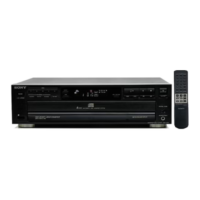
CDP-C345/C245/C741.
Remote
commander
RM-D335
(1)
(CDP-C345
only)
Sony
batteries
SUM-3(NS)
(2)
(CDP-C345
only)
Audio
connecting
cord
(1)
Inserting
Batteries
into
the
Remote
Commander
(CDP-C345
only)
1
Slide
open
the
cover.
HF
2
Insert
two
size
AA
(R6)
batteries
with
correct
polarity.
Battery
life
¢
About
half
a
year
of
normal
operation
can
be
expected
when
using
the
Sony
batteries
SUM-3(NS).
¢
When
the
batteries
are
run
down,
the
remote
commander
will
not
operate
the
player.
In
this
case,
replace
both
batteries
with
new
ones.
Notes
on
remote
commander
operation
¢
Avoid
exposing
the
remote
sensor
to
direct
suntight
or
a
lighting
apparatus.
Such
exposure
may
cause
a
malfunction.
¢
To
avoid
damage
caused
by
battery
leakage
and
corrosion,
remove
the
batteries
when
the
commander
will
not
be
used
for
a
long
time.