4
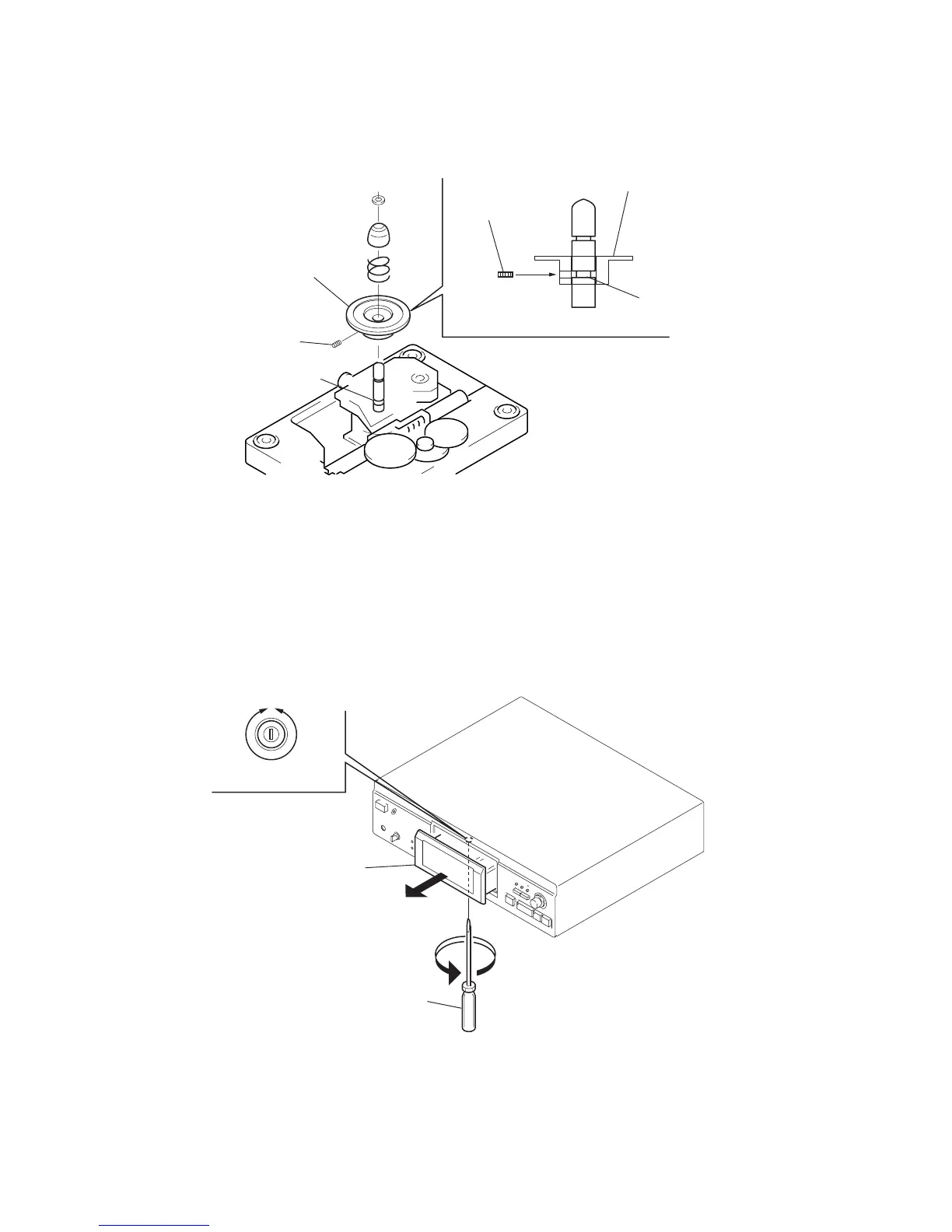
DISC PULLEY INSTALLING POSITION
Note: The shaft on which the disc pulley is installed has a groove to determine the position (height).
Install the disc pulley so that a setscrew can settle in this groove.
set screw
(M2.6
×
4)
set screw
groove
groove
disc pulley
disc pulley
HOW TO OPEN DISC TRAY WHEN POWER IS OFF
Insert a flat-blade screwdriver into a hole at the bottom of the set, and rotate the pulley in the arrow direction to open the disc tray.
IN
disc tray
flat-blade
screwdriver
OUT


 To Next Page