6
Setting the clock
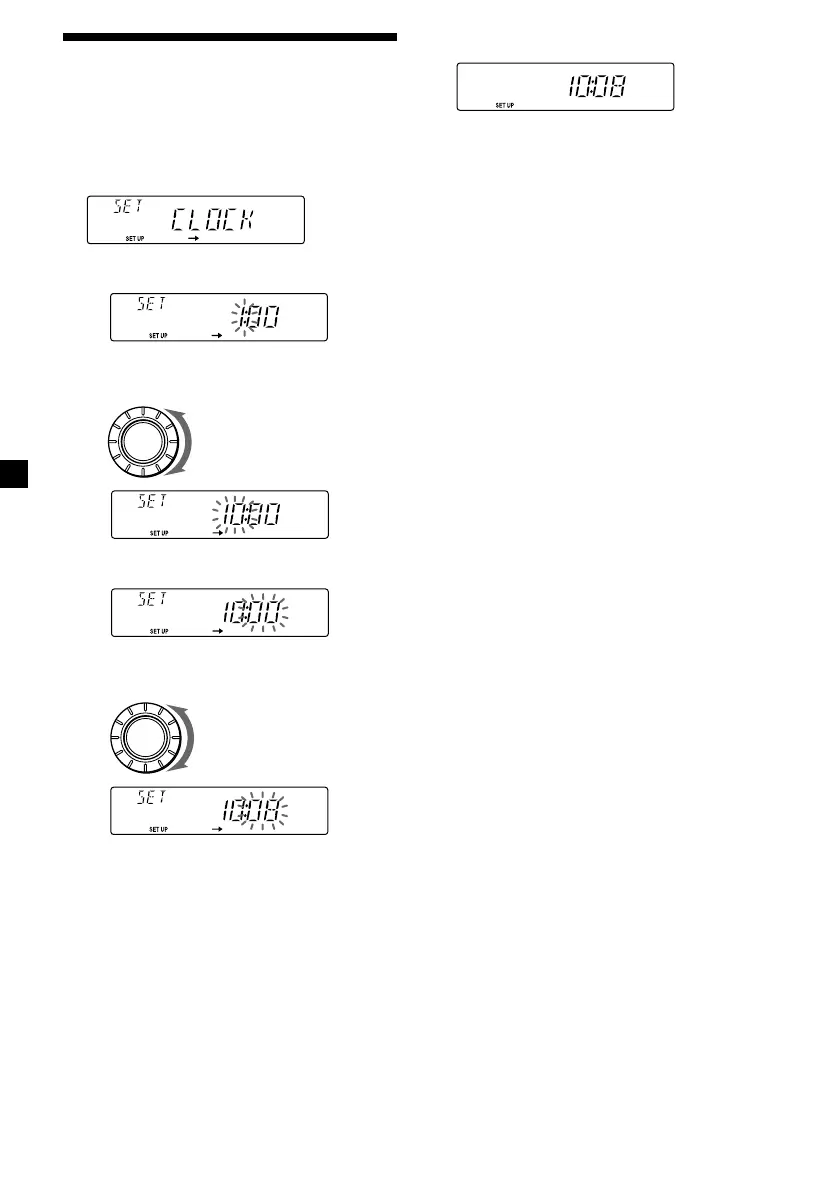
The clock uses a 24-hour digital indication.
Example: To set the clock to 10:08
1 Press (SHIFT), then press (2) (SET UP)
repeatedly until “CLOCK” appears.
1 Press (4) (n).
2 Set the hour.
3 Press (4) (n).
4 Set the minute.
to go forward
to go backward
to go forward
to go backward
The hour indication flashes.
The minute indication flashes.
2 Press (SHIFT).
The clock starts.
3 Press (SHIFT).
After the clock setting is complete, the
display returns to normal playback mode.
SOURCE
SOURCE


 To Next Page