4
Getting Started
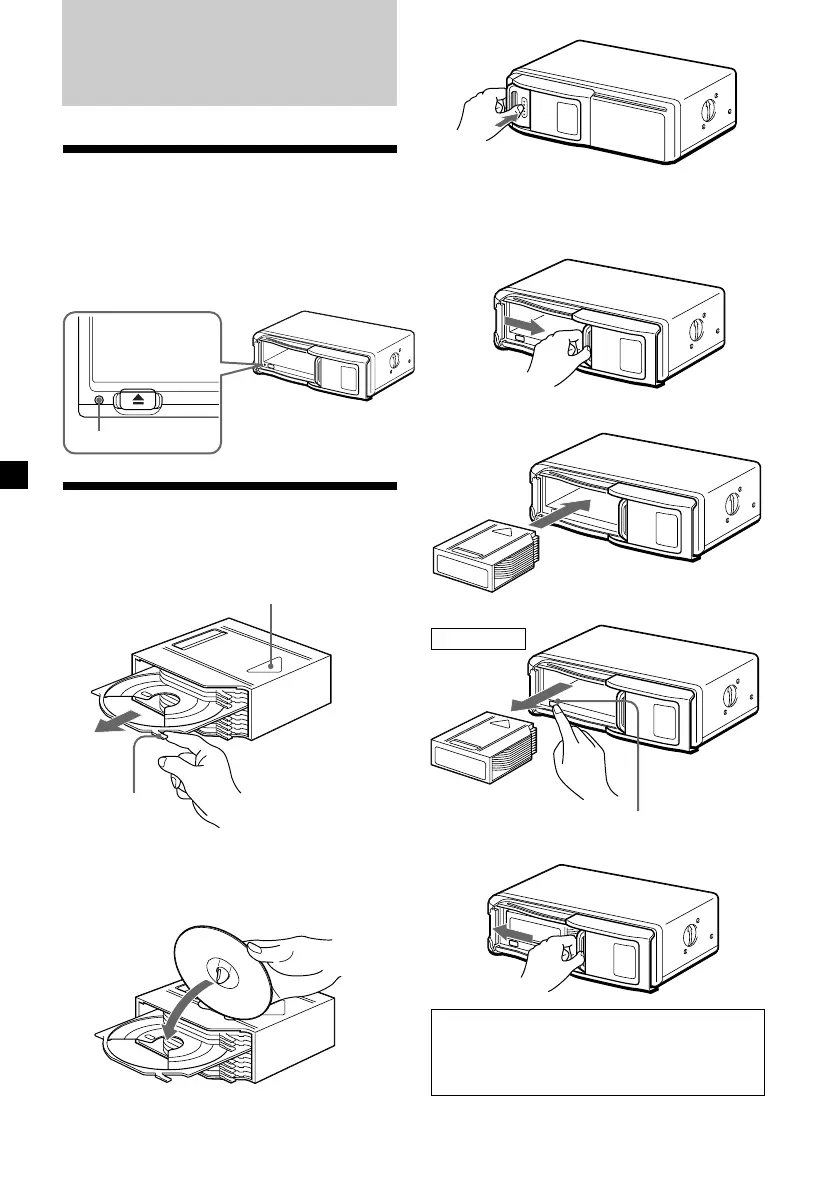
Resetting the unit
Before operating the unit for the first time or
after replacing the car battery, you must reset
the unit.
Press the reset button with a pointed object,
such as a ball-point pen, etc.
Preparing the CD changer
1
2
3
4
x
Disc magazine
To remove
Z (EJECT)
Reset button
Unlock.
Release, and slide open.
Tab
x
Labeled surface up
10 discs, one in each tray
With the arrow side facing up
Use the supplied disc magazine or the disc
magazine XA-250. The disc magazine XA-10B
cannot be used with this unit. If you use any
other disc magazine, it may cause a
malfunction.



 To Next Page