26
Actual total number: Sony CDX-C910 (E) 3-856-715-21 (2)
EN
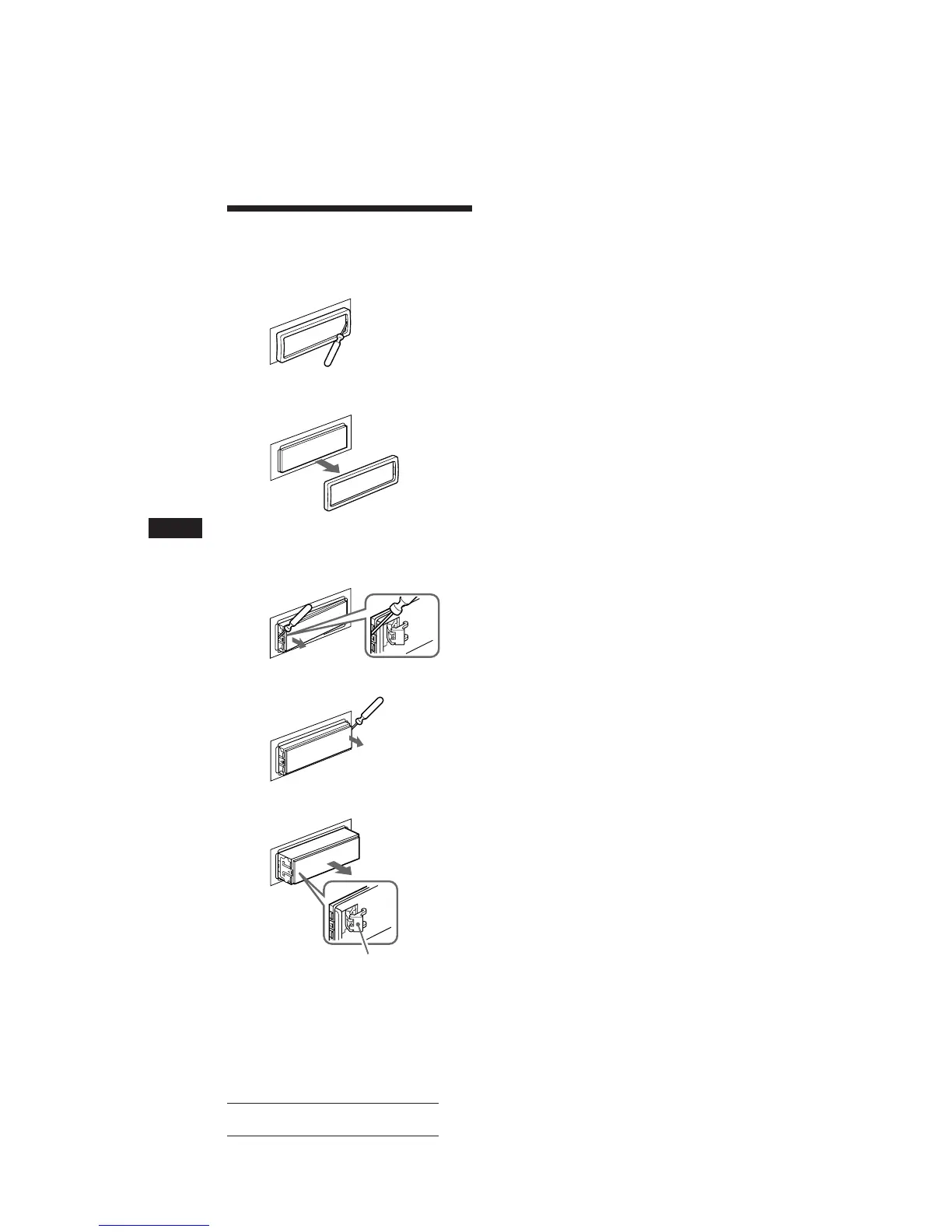
Dismounting the unit
1 Press the clip inside the front cover with
a thin screwdriver, and lever the front
cover free.
2 Repeat step 1 on the left side.
The front cover is removed.
3 Use a thin screwdriver to push in the clip
on the left side of the unit, then pull out
the left side of the unit until the catch
clears the mounting.
4 Repeat step 3 on the right side.
5 Slide the unit out of the mounting.
Note
Do not pull out the spring lock to prevent damage to it.
Spring lock



 To Next Page