10
(With optional unit)
1 Press (SOURCE) repeatedly to select
“CD” or “MD.”
2 Press (MODE) repeatedly until the
desired unit appears.
Playback starts.
To Press
Skip discs (1) (DISC –) or
– Disc selection (2) (DISC +)
Tip
With the optional MG Memory Stick System-up
Player MGS-X1 connected to this unit, press
(SOURCE) to select “MD,” then press (MODE) to
select the unit number of the MD (MD1 or MD2,
etc.).
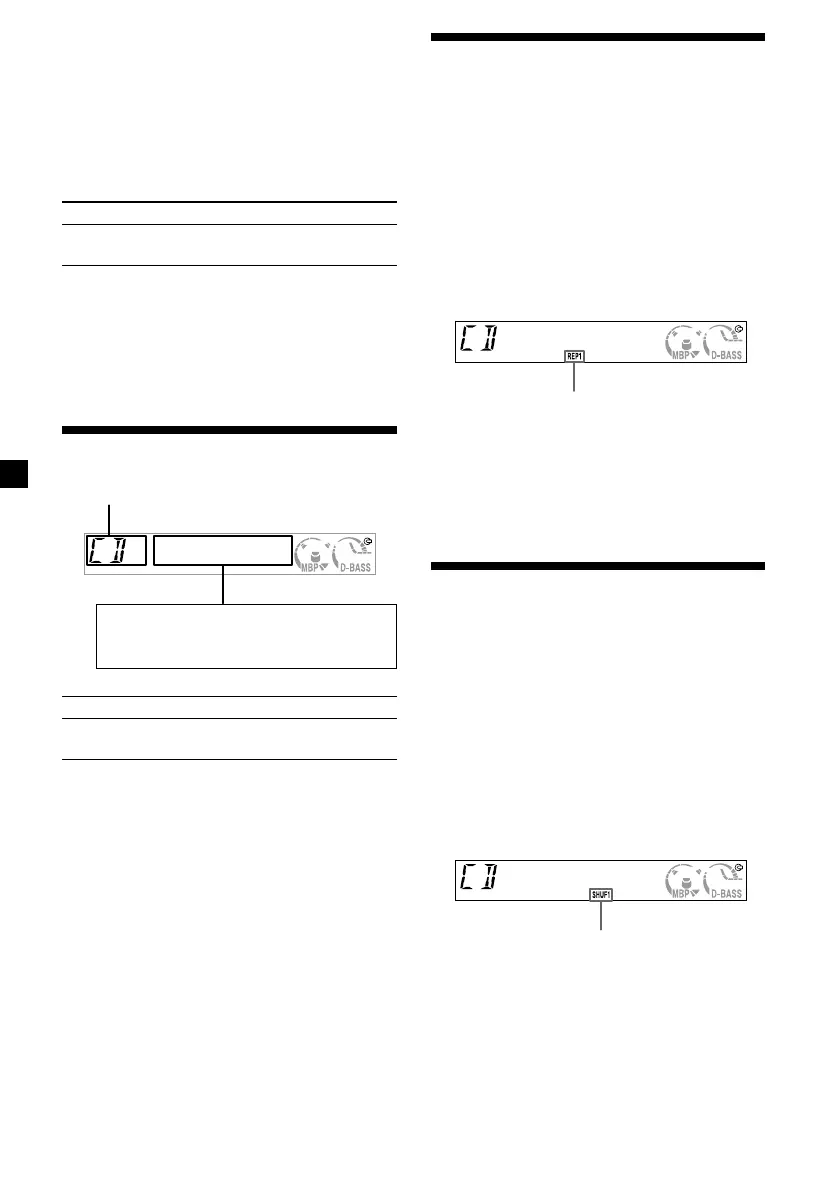
Display items
To Press
Switch display (DSPL)
item
Playing tracks repeatedly
— Repeat Play
The disc in the main unit will repeat a track or
the entire disc when it reaches the end. For
repeat play, you can select:
•REP 1 — to repeat a track.
•REP 2* — to repeat a disc.
* Available only when an optional CD/MD unit is
connected.
During playback, press (3) (REP)
repeatedly until the desired setting
appears in the display.
Repeat Play starts.
To return to normal play mode, press (3)
(REP) repeatedly until “REP” indicator
disappears.
Playing tracks in random
order — Shuffle Play
You can select:
•SHUF 1 — to play the tracks on the current
disc in random order.
•SHUF 2* — to play the tracks in the current
optional CD (MD) unit in random order.
* Available only when an optional CD/MD unit is
connected.
During playback, press (4) (SHUF)
repeatedly until the desired setting
appears in the display.
Shuffle Play starts.
To return to normal play mode, press (4)
(SHUF) repeatedly until “SHUF” indicator
disappears.
Source
“REP” indicator is displayed.
“SHUF” indicator is displayed.
Displayable items
• Clock
• Track number/Elapsed playing time




 To Next Page