18
Tuning in a station through a
list
— List-up
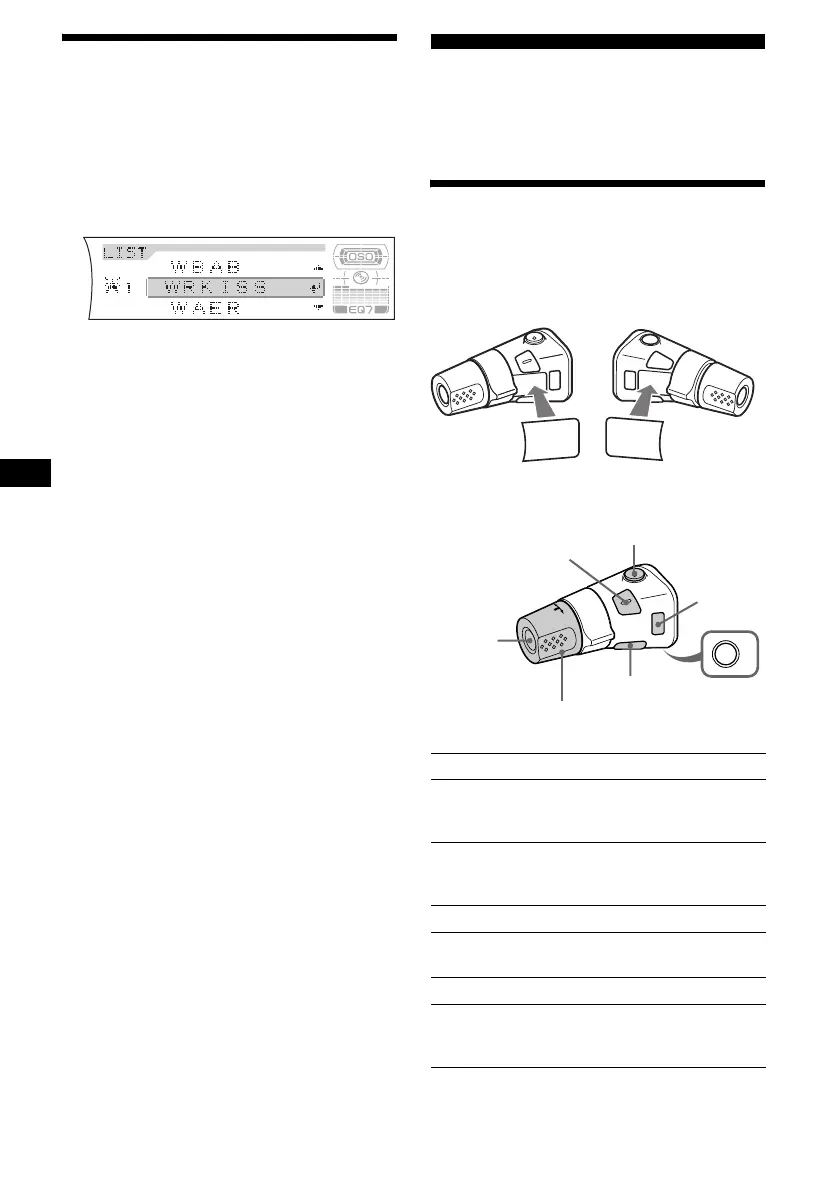
1 During radio reception, press (LIST)
(CAT).
The frequency or the name assigned to the
current station appears in the display.
2 Press M or m repeatedly until you find
the desired station.
If no name is assigned to the selected station,
the frequency appears in the display.
3 Press (ENTER) to tune in the station.
Other Functions
You can also control the unit (and optional CD/
MD units) with a rotary commander (optional).
Using the rotary commander
First, attach the appropriate label depending on
how you want to mount the rotary commander.
The rotary commander works by pressing
buttons and/or rotating controls.
By pressing buttons
Press To
(SOURCE) Change the source
(Radio/CD/MD*
1
/AUX*
2
)/
Power on
(MODE) Change operation
(Radio band/CD unit*
1
/MD
unit*
1
)
(ATT) Attenuate the sound
(OFF)*
3
Stop playback or radio
reception/Power off
(SOUND) Adjust the sound settings
(DSPL) Change the display item
(For 2 seconds to scroll the
display item)
SOUND
DSPL
MODE
SOUND
DSPL
MODE
OFF
Rotate the VOL control
to adjust the volume.
(SOURCE)
(SOUND)
(ATT)
(DSPL)
(OFF)
(MODE)




 To Next Page