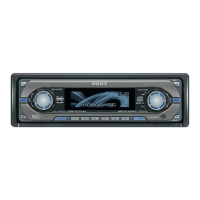
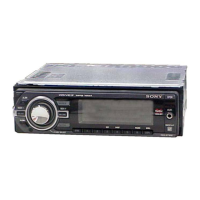
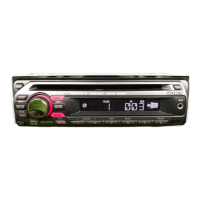
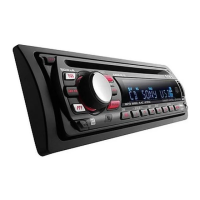
9
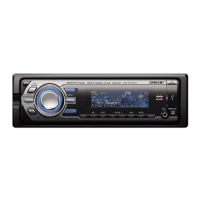
D SOURCE button
To power on; change the source (Radio/CD/
USB/AUX)*.
E Display window
F USB terminal page 13
To connect to the USB device.
G OPEN button page 6, 7
H (BACK) button page 10
To return to the previous display.
I Receptor for the card remote
commander
J SEEK –/+ buttons
CD/USB:
To skip tracks (press); skip tracks
continuously (press, then press again within
about 1 second and hold); reverse/fast-
forward a track (press and hold).
Radio:
To tune in stations automatically (press); find
a station manually (press and hold).
K MODE button page 12, 14
To select the radio band (FM/AM)*; select
the play mode of ATRAC Audio Device.
L SCRL (scroll) button
To scroll the display item.
M Frequency select switch (located on the
bottom of the unit)
See “Frequency select switch” in the
supplied installation/connections manual.
N Number buttons
CD/USB:
(1): REP page 12, 14
(2): SHUF page 12, 14
(3)/(4): ALBUM –/+
To skip albums (press); skip albums
continuously (press and hold).
(5): DM+ page 4
To activate the DM+ function, set
“DM+ on.” To cancel, set “DM+ off.”
(6): PAUSE
To pause playback. To cancel, press
again.
Radio:
To receive stored stations (press); store
stations (press and hold).
O DSPL (display) button page 12
To change display items.
P AUX input jack page 17
To connect a portable audio device.
Q RESET button page 5
R Z (eject) button page 7
To eject the disc.
S Disc slot page 7
To insert the disc.
The following buttons on the card remote
commander have also different buttons/functions
from the unit. Remove the insulation film before
use (page 5).
w; MENU button
To enter menu.
wa ENTER button
To apply a setting.
ws
< (.)/, (>) buttons
To control CD/radio/USB, the same as
(SEEK) –/+ on the unit.
Setup, sound setting, etc., can be operated by
< ,.
wd VOL (volume) +/– button
To adjust volume.
wf ATT (attenuate) button
To attenuate the sound. To cancel, press
again.
wg SOUND button
To enter sound setting.
wh LIST button
To list up (Radio); enter the Quick-BrowZer
mode (CD/USB).
wj M (+)/m (–) buttons
To control CD/USB, the same as (3)/(4)
(ALBUM –/+) on the unit.
Setup, sound setting, etc., can be operated by
M m.
* In the case of a CD/MD changer being connected;
when (SOURCE) is pressed, the connected device
(“MD”) will appear in the display, depending on
which device is connected. Furthermore, if (MODE)
is pressed, you can switch the changer.
Notes
• When ejecting/inserting a disc, keep any USB
devices disconnected to avoid damage to the disc.
• If the unit is turned off and the display disappears, it
cannot be operated with the card remote
commander unless (SOURCE) on the unit is
pressed, or a disc is inserted to activate the unit first.


 To Next Page
 Loading...