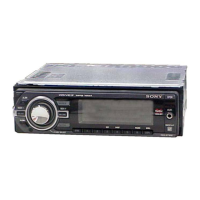
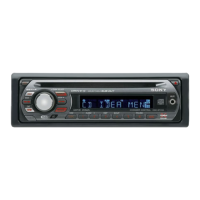
CDX-GT930UI/GT937UI/GT980UI
5
SECTION 2
GENERAL
This section is extracted
from instruction manual.
• LOCATION OF CONTROLS
• CDX-GT930UI: US model
8
Location of controls and basic operations
Main unit
This section contains instructions on the location
of controls and basic operations. For details, see
the respective pages.
The corresponding buttons on the card remote
commander control the same functions as those
on the unit.
" SOURCE button
To power on; change the source (Radio/CD/
USB/AUX)*
1
.
# (BACK) button page 12
To return to the previous display.
$ ZAP button page 13
To enter ZAPPIN™ mode.
% OFF button
To pow e r off; s top th e source .
& (BROWSE)/CAT*
2
button page 12
To list up (Radio); enter the Quick-BrowZer
mode (CD/USB/iPod).
' Multi way encoder
Rotate to: Adjust the volume/select a menu
item.
Push up/down/left/right to: Select a menu
item.
Press to: Enter sound setting/apply a setting.
Press and hold to: Enter menu.
CD/USB:
Push up/down to:
– Skip albums (push)*
3
.
– Skip albums continuously (push and
hold)*
3
.
Push left/right to:
– Skip tracks (push).
– Skip tracks continuously (push, then push
again within about 2 seconds and hold).
– Reverse/fast-forward a track (push and
hold).
Radio:
Push up/down to:
– Receive stored station.
Push left/right to:
– Tune in stations automatically (push).
– Find a station manually (push and hold).
PUSH ENTER /SOUND/MENU
ANGLE
OFF
SOURCE
MODE
ZAP
DSPL/
SCRL
/CAT
SHUF
RT HRERBRGRR
9
( Disc slot page 14
To insert the disc.
) Display window
* Receptor for the card remote
commander
+ (front panel release) button page 6
, MODE button page 13, 17, 18
Press to: Select the radio band (FM/AM)*
1
/
select the play mode of iPod.
Press and hold to: Enter/cancel the passenger
control.
- SHUF (shuffle) button page 15, 16, 18,
21
. DSPL (display)/SCRL (scroll) button
page 14, 16, 17
To change display items (press); scroll the
display item (press and hold).
/ RESET button page 6
0 ;(eject)/ANGLE button page 7
To eject the disc/slide down the front panel
(press); angle the front panel in 3 positions
(press and hold).
*1 In the case of a CD changer, HD Radio tuner or
SAT tuner being connected; when 4063$& is
pressed, the connected device (“HD,” “XM” or “SR”)
will appear in the display, depending on which
device is connected. Furthermore, if .0%& is
pressed, you can switch the changer, HD Radio
tuner band or SAT tuner band.
*2 When the SAT tuner is connected.
*3 When an MP3/WMA/AAC is played.
10
Card remote commander
RM-X172
Remove the insulation film before use (page 6).
" OFF button
To power off; stop t he s ource.
# SOURCE button
To power on; change the source (Radio/CD/
USB/AUX).
$ / (SEEK –/+) buttons
The same as pushing the multi way encoder
left/right on the unit.
Setup,soundsetting,etc.,canbeoperatedby
.
% MENU button
To en ter menu.
& ENTER button
To apply a setting.
' DSPL (display) button
To change display items.
( VOL (volume) +/– button
To adjust volume.
OFF
DSPL
SCRL
SOURCE
MODE
132
465
ATT
VOL
+
–
+
–
REP SHUF
MENU
SOUND
PAU SE
ENTER
/CAT
RG
RT
RB
RE
11
) ATT (attenuate) button
To attenuate the sound. To cancel, press
again.
* SOUND button
To enter sound setting.
+ MODE button
Press to: Select the radio band (FM/AM)/
select the play mode of iPod.
Press and hold to: Enter/cancel the passenger
control.
, (BROWSE)/CAT* button
To list up (Radio); enter the Quick-BrowZer
mode (CD/USB/iPod).
- ./N (+/–) buttons
The same as pushing the multi way encoder
up/down on the unit.
Setup,soundsetting,etc.,canbeoperatedby
.N.
. SCRL (scroll) button
To sc roll the display item.
/ Number buttons
CD/USB:
: REP page 14, 16
: SHUF page 15, 16
: PAUSE
To pause playback. To cancel, press
again.
Radio:
To receive stored stations (press); store
stations (press and hold).
* When the SAT tuner is connected.
Note
If the unit is turned off and the display disappears, it
cannot be operated with the card remote commander
unless 4063$& on the unit is pressed, or a disc is
inserted to activate the unit first.


 To Next Page
 Loading...