19
Other functions
Changing the sound settings
Adjusting the sound
characteristics
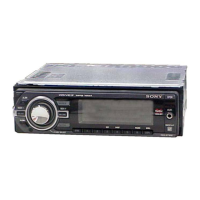
1 Press the multi way encoder.
2 Rotate the multi way encoder until the
desired menu item appears, then
press it.
3 Use the multi way encoder to select
the setting, then press it.
4 Press (BACK).
The setting is complete and the display
returns to normal play/reception mode.
The following items can be set:
The operation of the multi way encoder will
differ depending on the items.
: Push the multi way encoder up/down
: Push the multi way encoder left/right
: Rotate the multi way encoder
EQ3 Parametric Preset ( or )
Selects an equalizer curve from 7 music types.
EQ3 Parametric Tune*
1
Custom equalizer settings. See “Customizing
the equalizer curve — EQ3 Parametric Tune”
Subwoofer Tune & LPF
Phase ( , or press (MODE))
Selects the phase: “Normal,” “Reverse.”
FREQ ()
Selects the subwoofer cut-off frequency:
“80Hz,” “100Hz,” “120Hz,” “140Hz,” “160Hz,”
“off.”
Level ()
Adjusts the subwoofer volume: “+10 dB” –
“0 dB” – “–10 dB.”
(“– ∞” is displayed at the lowest setting.)
HPF & Speaker Select
Speaker ()
Selects the Speaker: “All,” “Front”, or “Rear.”
FREQ ()
Selects the cut-off frequency: “off,” “80Hz,”
“100Hz,” “120Hz,” “140Hz,” “160Hz.”
DM+ Advanced*
2
( or )
Improves digitally compressed sound, such as
MP3.
To activate the DM+ Advanced function, set
“on.” To cancel, set “off.”
DSO (Dynamic Soundstage Organizer) ( or
)
Creates a more ambient sound field.
To select the DSO mode: “1,” “2,” “3” or “off.”
The larger the number, the more enhanced the
effect.
AUX Level*
3
( or )
Adjusts the volume level for each connected
auxiliary equipment: “+18 dB” – “0 dB” – “–8
dB.”
This setting negates the need to adjust the
volume level between sources.
Fader & Balance
Front/Rear/Center ()
Adjusts the relative level.
Right/Left/Center ()
Adjusts the sound balance.
*1 Hidden when EQ3 Parametric Preset is set to “off.”
*2 When CD/USB/iPod source is activated.
*3 When AUX source is activated.


 To Next Page
 Loading...