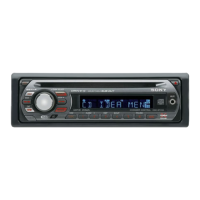
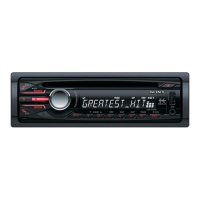
22
CD changer
Selecting the changer
1 Press (SOURCE) repeatedly until “CD”
appears.
2 Press (MODE) repeatedly until the desired
changer appears.
Playback starts.
Skipping albums and discs
1 During playback, push the multi way encoder
up/down.
Repeat and shuffle play
1 During playback, press (1) (REP) on the card
remote commander or (SHUF) on the unit
repeatedly until the desired setting appears.
To return to normal play mode, select “Repeat
off” or “Shuffle off.”
Rotary commander RM-X4S
Attaching the label
Attach the indication label depending on how
you mount the rotary commander.
Location of controls
The corresponding buttons on the rotary
commander control the same functions as those
on this unit.
The following controls on the rotary commander
require a different operation from the unit.
• ATT (attenuate) button
To attenuate the sound. To cancel, press again.
• SOUND button
To enter sound setting.
• PRESET/DISC control
The same as rotating the multi way encoder on
the unit (push in and rotate).
• VOL (volume) control
The same as the multi way encoder on the unit
(rotate).
• SEEK/AMS control
The same as pushing the multi way encoder
left/right on the unit (rotate, or rotate and hold).
Changing the operative direction
The operative direction of the controls is factory-
set as shown below.
If you need to mount the rotary commander on
the right hand side of the steering column, you
can reverse the operative direction.
To skip
Push the multi way encoder
up/down
album and release (hold for a
moment).
album
continuously
within 2 seconds of first
releasing.
discs repeatedly.
discs
continuously
then, press again within 2
seconds and hold.
Select To play
Repeat Disc disc repeatedly.
Shuffle
Changer
tracks in the changer in random
order.
Unit number
Disc number
S
O
U
N
D
D
SPL
M
O
D
E
S
O
U
N
D
D
S
P
L
M
O
D
E
OFF
ATT
SOUND
SOURCE
DSPL
MODE
OFF
VOL
SEEK/AMS
PRESET/
DISC
To increase
To decrease


 To Next Page