Setting Up
CFD-646/656.E.3-856-825-1X.U/CA
22
Hooking up the system (continued)
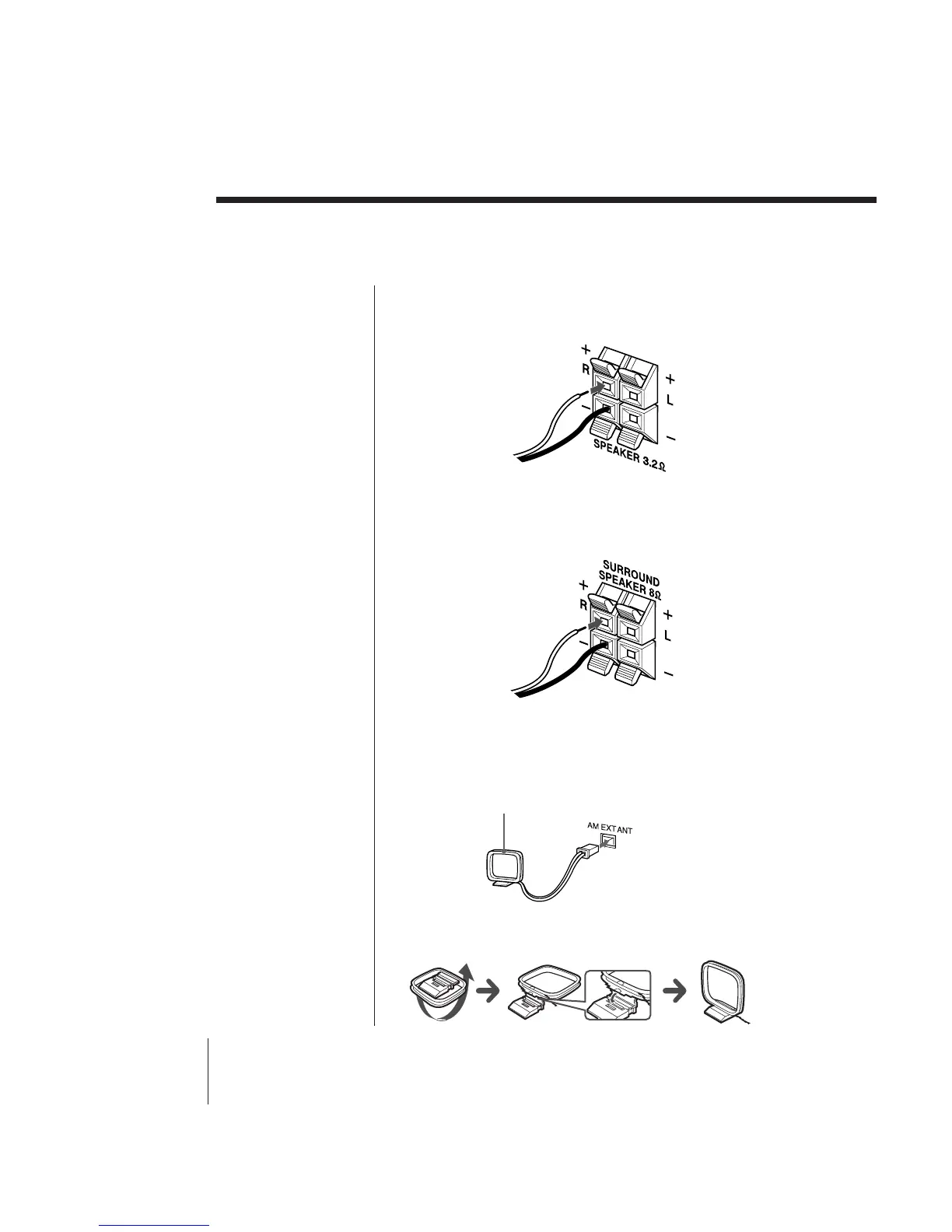
2 Connect the black wires to (–) minus and the red
wires to (+) plus terminals; the right speaker wires
to the R and the left speaker wires to the L
terminals.
Connecting surround speakers (CFD-656 only)
You can enjoy a rich and spacious effect by connecting
surround speakers.
Connect the black wires to (–) minus and the grey
wires to (+) plus terminals.
To turn off the surround effect, disconnect the
surround speakers.
2 Hooking up the aerial
Reorient the aerial to improve broadcast reception.
Setting up the AM loop aerial
AM loop aerial (supplied)



 To Next Page