Basic Operations
Basic Operations
CFD-646/656.E.3-856-825-1X.U/CA
5
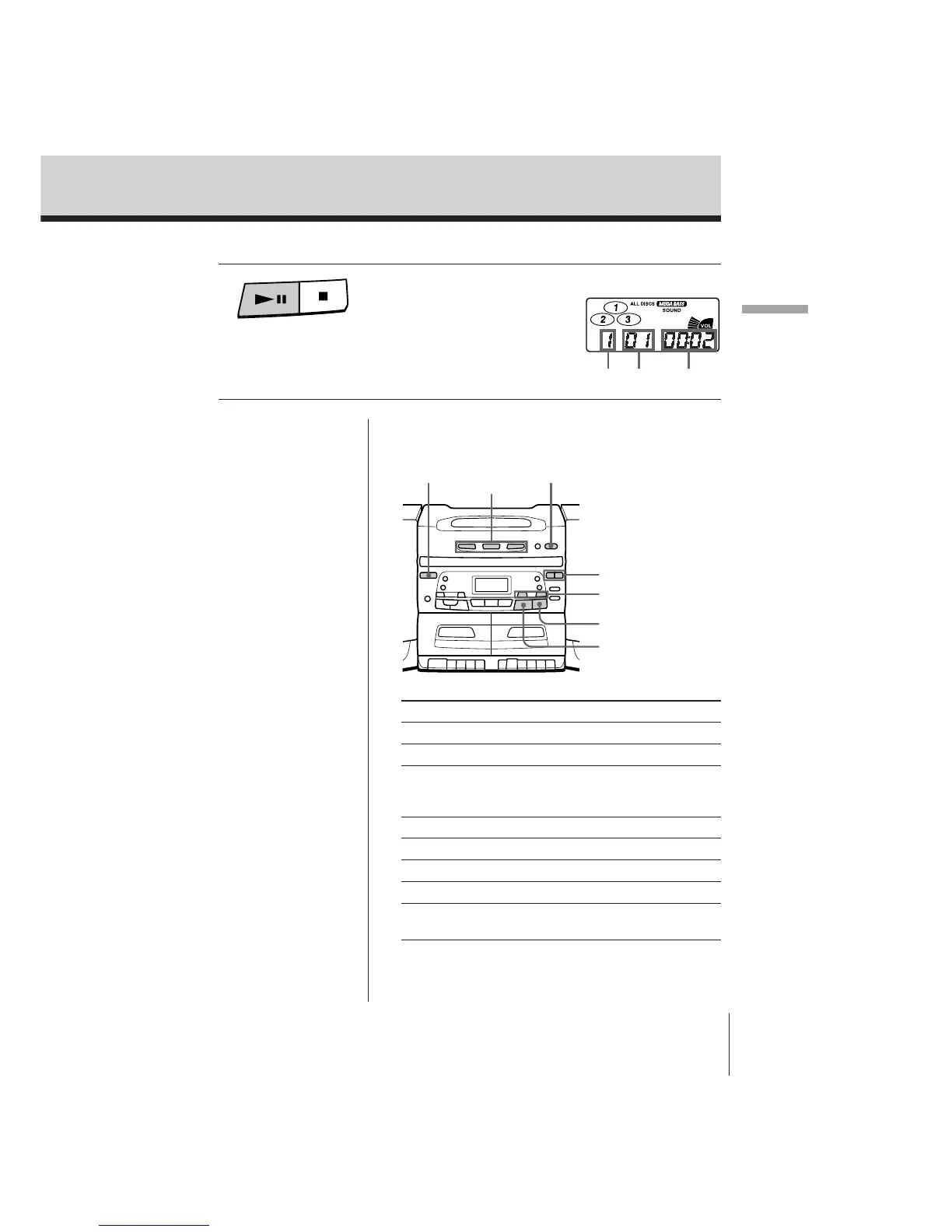
To Press
Adjust the volume VOLUME +/–
Stop playback p
Pause playback ^
Press again to resume play
after pause.
Go to the next track AMS/SEARCH +
Go back to the previous track AMS/SEARCH =
Remove the CD OPEN/CLOSE
Turn on/off the player POWER
Play only one CD DISC 1, DISC 2 or DISC 3
(desired DISC SELECT)
Tips
• You can change a CD
while playing another.
Press OPEN/CLOSE to
pull out the CD tray
and change the CD.
Press OPEN/CLOSE
again to close the CD
tray. Do not close the
CD tray by hand, as
that may cause trouble.
• Next time you want to
listen to a CD, just
press ^. The player
turns on automatically
and starts playing the
CD.
4 Press ^ .
The player plays all the tracks of
all the CDs in the CD tray once.
Display
Playing
time
CD
number
Track
number
Use these buttons for additional operations
p
AMS/SEARCH
=/+
VOLUME +/–
^
DISC
1 – 3
POWER OPEN/CLOSE



 To Next Page