EasyManua.ls Logo

Sony CFD-765 - Various Disc Playing Modes; To Play Selections in Random Order - Shuffle Play

Sony CFD-765
40 pages
Print Icon
To Next Page IconTo Next Page
To Previous Page IconTo Previous Page
Loading...
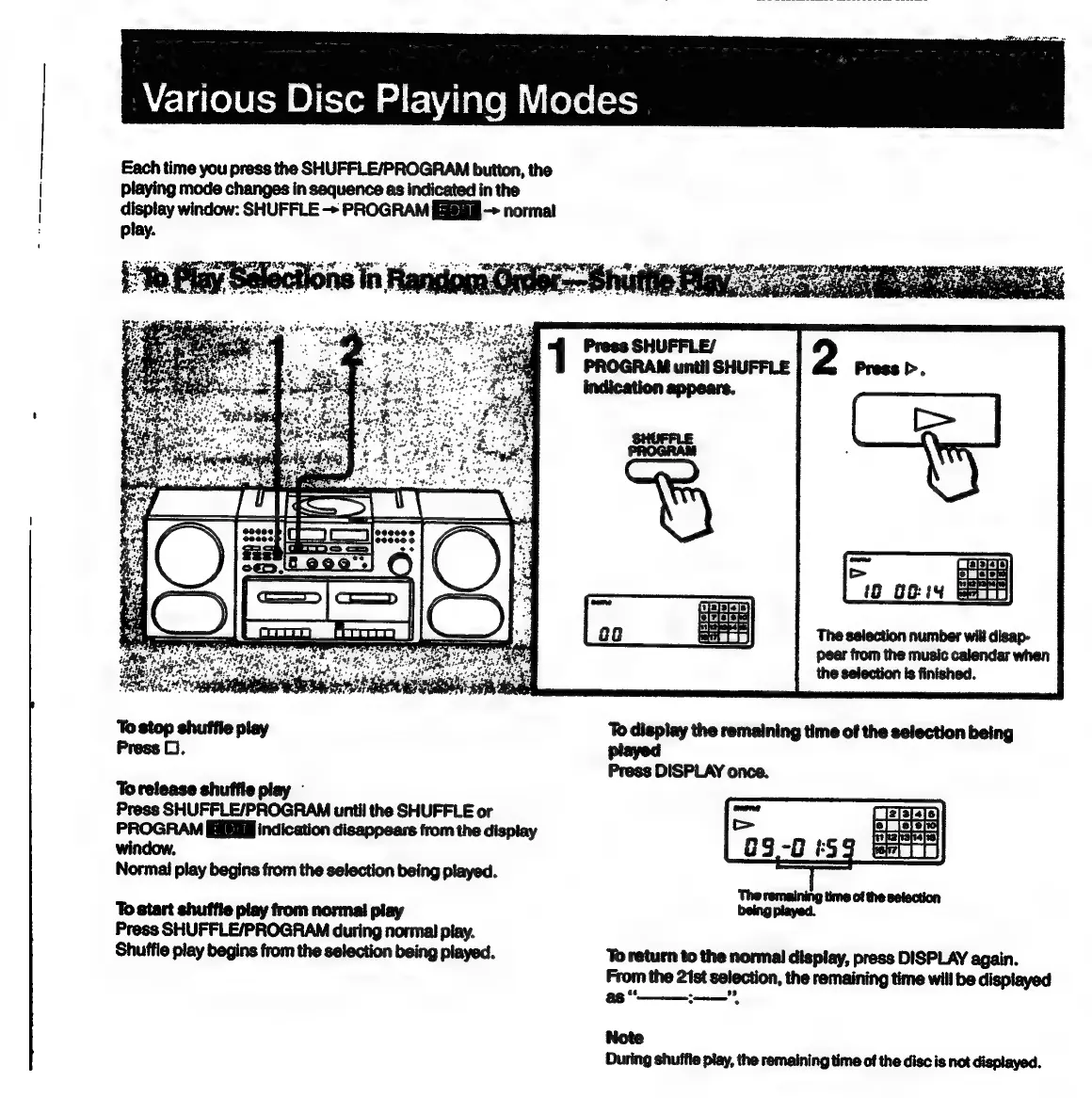
Each
time
you
press
the
SHUFFLE/PROGRAM
button,
the
playing
mode
changes
in
sequence
as
indicated
in
the
display
window:
SHUFFLE
->
PROGRAM
>
normal
play.
4
1
Prees
SHUFFLE/
:
PROGRAM
until
SHUFFLE
Press
>.
indication
appears.
PROGRAM
The
selection
number
will
disap-
pear
from
the
music
calendar
when
the
selection
is
finished.
shuffle
play
To
display
the
remaining
time
of
the
selection
being
ress
D.
Press
DISPLAY
once.
Torelease
shuffie
play
Press
SHUFFLE/PROGRAM
until
the
SHUFFLE
or
PROGRAM
EEE
indication
disappears
from
the
display
window,
Normal
play
begins
from
the
selection
being
played.
To
start
shuffle
play
from
normal
play
Press
SHUFFLE/PROGRAM
during
normal
piay.
Shuffle
play
begins
from
the
selection
being
played.
‘To
return
to
the
normal
display,
press
DISPLAY
again.
From
the
21st
selection,
the
remaining
time
will
be
displayed
as
“—
*
Note
During
shuffle
play,
the
remaining
time
of
the
disc
is
not
displayed.

Related product manuals