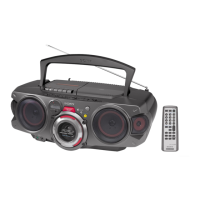
CFD-RG880CP
19
SECTION 4
TEST MODE
[MC COLD RESET]
The cold reset clears all data including preset data stored in the
memory to initial conditions. Execute this mode when returning
the set to the customer.
Procedure:
1. In the standby status, press the [POWER] button to turn the
power on.
2. Press three buttons of [
x
], [MODE] and at last [POWER] si-
multaneously.
3. When “RESET” appears, the machine enters standby status.
[PANEL TEST MODE]
Enter The Panel Test Mode
Procedure:
1. In the standby status, press the [POWER] button to turn the
power on.
2. Press three buttons of [REPEAT], [
x
], and [DSPL/ENT] si-
multaneously.
3. When the panel test mode is activated, LEDs and segments of
LCD are all turned on.
Version Check
Procedure:
1. In the panel test mode (all LEDs and segments of LCD are
turned on), press the [ROCK] button.
2. On the LCD, date and version are displayed “xxxxxxxx”. For
example, “0305V001”.
3. From this status, press the [DANCE] button, and the destina-
tion is displayed. For example, “1024 MX2”.
4. To release from this mode, press three buttons of [REPEAT],
[
x
], and [DSPL/ENT] simultaneously.
[CHANGE-OVER THE AM TUNING INTERVAL]
The AM tuning interval can be changed over 9 kHz or 10 kHz.
Procedure:
1. Press the [POWER] button to turn the power on.
2. Press the [RADIO/BAND] button to select TUNER (AM)
function.
3. Select the AM BAND mode and press the [DSPL/ENT] button
for an extended time in the AM BAND state.
4. Then, press the [AUTO PRESET/RADIO/BAND] for an ex-
tended time.
5. Next, press the [PRESET +] [PRESET –] button select either
9k/10k.
6. Finally, press the [DSPL/ENT] button to set the selected step.
[CD SERVICE MODE]
This mode can move the SLED of the optical pick-up, and also can
turn the optical pick-up laser power on and off.
Procedure:
1. Press the [POWER] button to turn the power on.
2. Press the [CD] button to select the CD mode.
3. Press three buttons of [
x
], [VOL +], and [SALSA] simultane-
ously.
4. It enters the CD service mode and displays “SE MODE”.
5. To exit from this mode, press three buttons of [
x
], [VOL +],
and [SALSA] simultaneously.
Key Operation:
[PRESET+
>
], [PRESET–
.
]:
Use these keys to move the SLED.
When [PRESET+
>
] is pressed in this mode, the
SLED moves to outer circumference and the message
“SL OUT” is displayed.
When [PRESET–
.
] is pressed in this mode, the
SLED moves to inner circumference and the message
“SL IN” is displayed.
[MODE] : Use this key to turn the optical pick-up laser power on
and off. When the laser power is turned on, the mes-
sage “LD ON” is displayed. When the laser power is
turned off, the message “LD OFF” is displayed.



 To Next Page
 Loading...