10
GB
Playing a CD-DA/
MP3/WMA disc
1
Press CD .
2
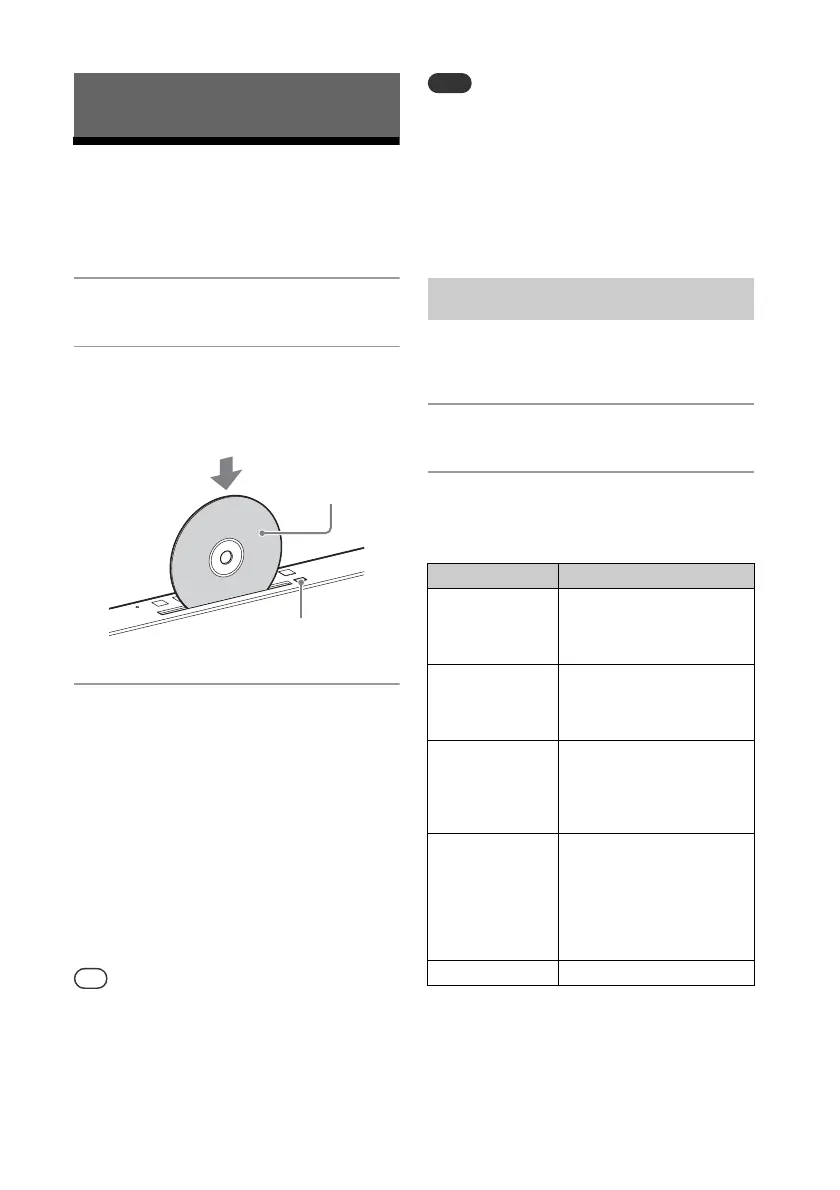
Insert a CD to the disc slot at
the top of the unit.
Load a CD with the label side (printed
side) toward you.
3
Press .
If you switch the function to “CD” from
another function when a CD is already
inserted in the slot, press after
“READING” has disappeared from the
display window .
The button of the remote or the unit
enables you to fast-rewind/fast-
forward, select a track, file or folder (for
MP3/WMA disc), etc.
To eject the CD
Press on the unit.
You can lock the disc slot . Press and hold
FUNCTION on the unit and VOL - on the
unit at the same time for 5 seconds, “LOCKED”
appears on the display window and the
button is then inoperable. To unlock the disc slot
, repeat the same procedure.
8 cm CDs cannot be used with this system.
Do not load a disc with a non-standard shape
(e.g., heart, square, star). Doing so may cause
irreparable damage to the system.
Do not use a disc with tape or stickers on it as
this may cause malfunction.
When you remove a disc, do not touch its
surface.
Play mode enables you to playback the
same music repeatedly or shuffle-play.
1
Press to stop playback.
2
Press PLAY MODE repeatedly
to select a play mode.
You can select the following play modes.
* This play mode is applicable only for playing a
USB device or MP3/WMA disc.
Listening to a CD
Label side
(printed side)
(eject)
To change the play mode
Play mode Effect
FOLDER* Plays all tracks in the
selected folder. “FLDR”
appears on the display
window .
SHUFFLE Plays all tracks repeatedly
in random order. “SHUF”
appears on the display
window .
FOLDER
SHUFFLE*
Plays all tracks in the
selected folder in random
order. “FLDRSHUF”
appears on the display
window .
PROGRAM Plays the programmed
tracks or files. “PROGRAM”
appears on the display
window . For details,
see “Creating your own
program (Program Play)”
(page 11).
OFF Plays a track or file.



 To Next Page