EasyManua.ls Logo

Sony CX115E - Quick Reference; Screen Indicators

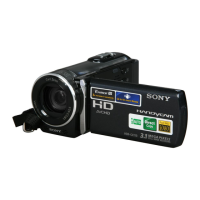
Sony CX115E
76 pages
Print Icon
To Next Page IconTo Next Page
To Previous Page IconTo Previous Page
Loading...
Quick reference
71
GB
Quick reference
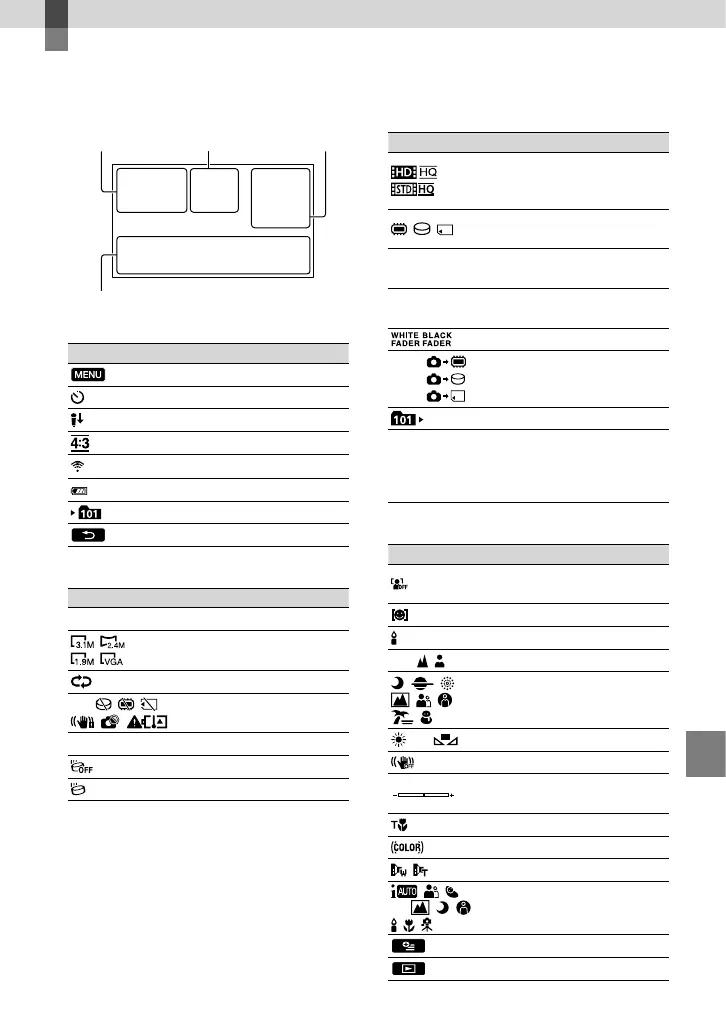
Screen indicators
Upper left
Indicator Meaning
MENU button
Self-timer recording
MICREF LEVEL low
WIDE SELECT
BLT-IN ZOOM MIC
60 min Remaining battery
Recording folder
Return button
Center
Indicator Meaning
[STBY]/[REC] Recording status
Photo size
Slide show set
Warning
Playback mode
Drop sensor off
Drop sensor activated
Upper right
Indicator Meaning
Recording image quality
(HD/STD) and recording
mode (FX/FH/HQ/LP)
Recording/playback/
editing media
0:00:00
Counter (hour:minute:
second)
[00min]
Estimated recording
remaining time
FADER
9999
9999
9999
Approximate number of
recordable photos and
recording media
Playback folder
100/112
Current playing movie or
photo/Number of total
recorded movies or photos
Bottom
Indicator Meaning
[FACE DETECTION] set
to [OFF]
SMILE DETECTION
LOW LUX
Manual focus
SCENE SELECTION
White balance
SteadyShot off
SPOT MTR/FCS / SPOT
METER / EXPOSURE
TELE MACRO
X.V.COLOR
CONVERSION LENS
INTELLIGENT AUTO
OPTION button
VIEW IMAGES button
Upper left Center Upper right
Bottom

Table of Contents

Related product manuals