Table of
contents
Operation
Search
MENU/Settings
Search
Index
125
GB
Viewing an image on a Standard
Definition (SD) TV
You can view images recorded on the camera in standard picture quality by connecting the
camera to a Standard Definition (SD) TV. Refer also to the operating instructions supplied with
the TV.
1 Turn off both the camera and the TV.
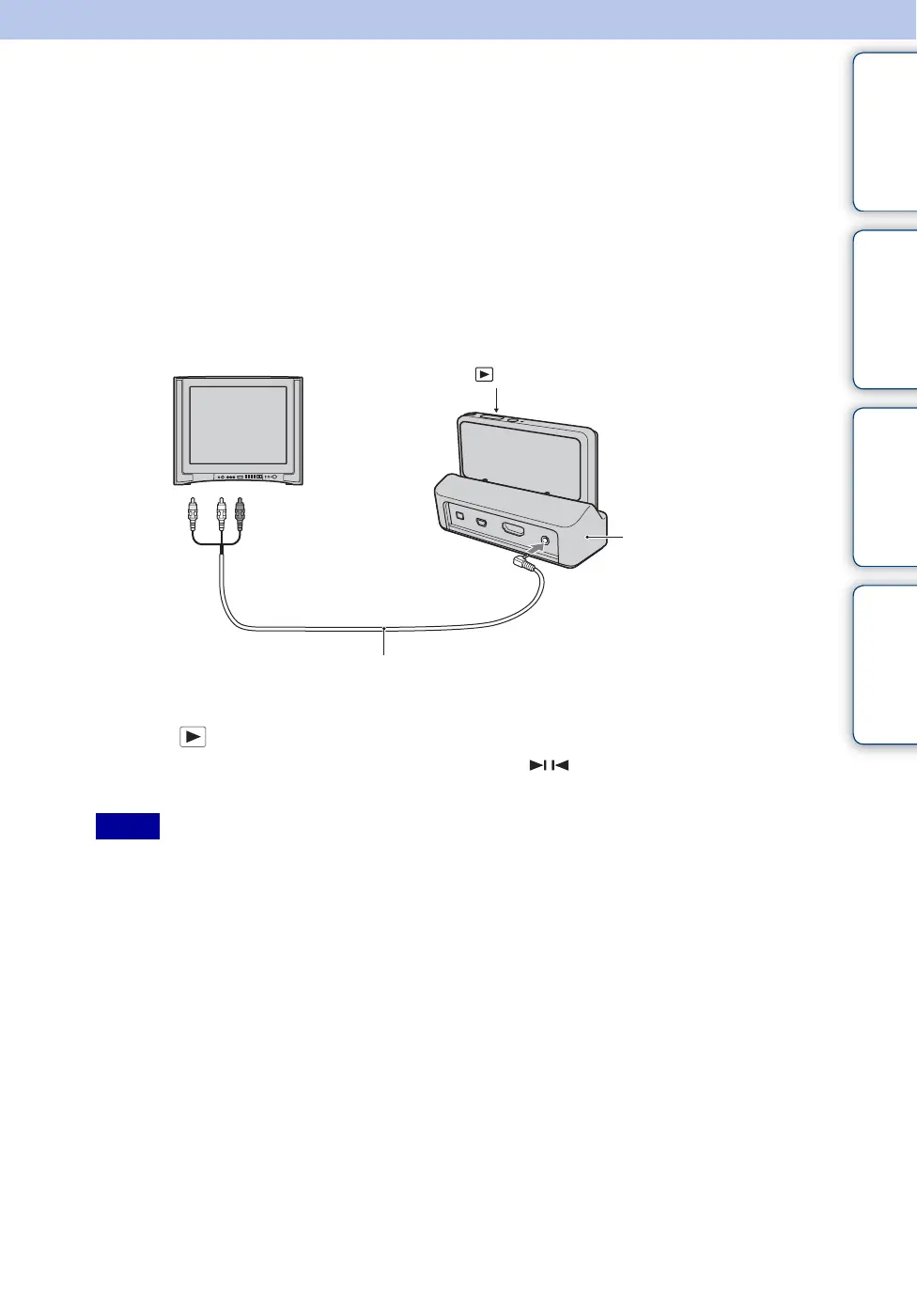
2 Attach the camera to the multi-output stand (supplied).
3 Connect the multi-output stand to the TV using the AV Cable (supplied).
4 Turn on the TV and set the input.
5 Press (Playback) button to turn on the camera.
Images shot with the camera appear on the TV. Touch / displayed on the LCD screen of
this camera to select the desired image.
• When you play back a single image, no icons are displayed on the TV.
• You cannot play back images in [Easy Mode] during TV output.
• When you shoot movies while the camera and a TV are connected, the image being shot is not displayed
on the TV.
Notes
AV Cable
1 To audio/video
input jacks
(Playback) button
2 To the A/V OUT
(STEREO) jack
Multi-output stand



 To Next Page
 Loading...




